

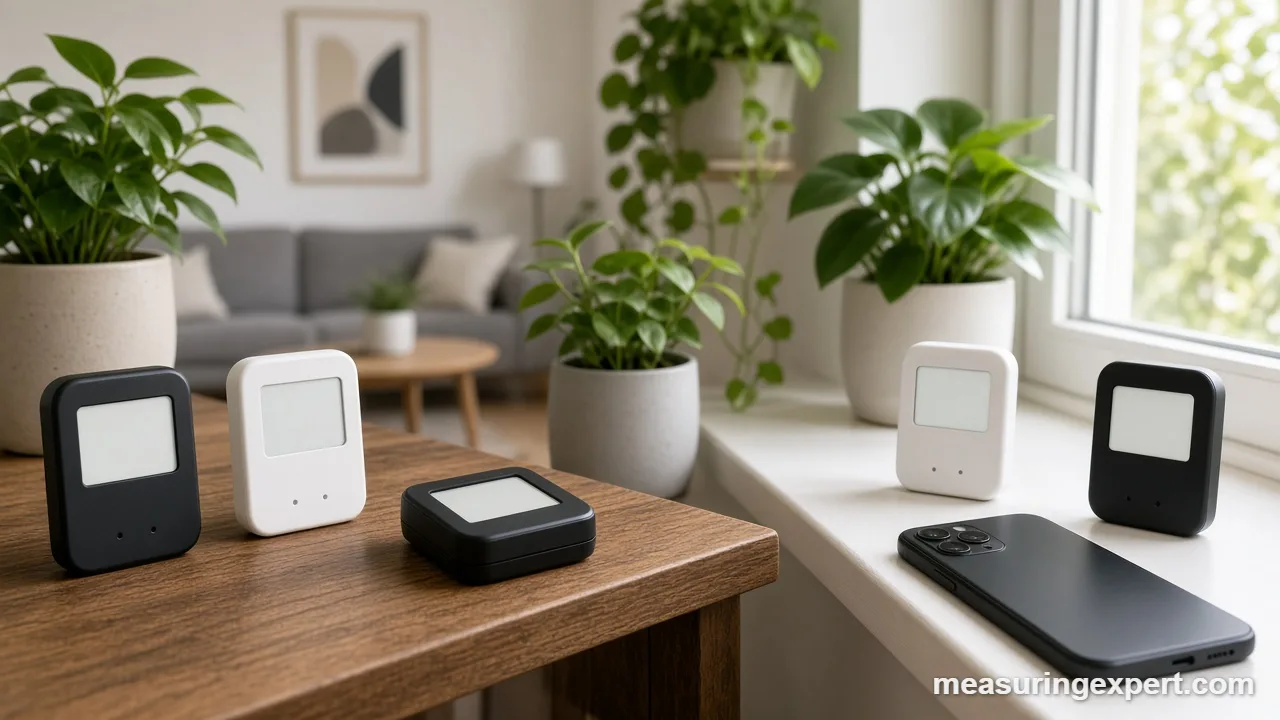
The best smart thermometer for most homes is the Govee H5179, a WiFi sensor that sends temperature and humidity to your phone without a hub. Your choice, however, comes down to the radio: WiFi for remote checks, Bluetooth for one room, and Zigbee or LoRa for a full smart home.
In short: get the Govee H5179 for remote alerts, the Govee H5075 on a budget, and the SensorPush HT.w when accuracy matters most.
As an Amazon Associate, Measuring Expert earns from qualifying purchases. Our picks are based on research, specifications and owner feedback, not paid placement.
This guide covers smart room and environment sensors: the kind you put in a nursery, basement, greenhouse or garage. Looking for a fever thermometer instead? See our picks for the best thermometer for body temperature. For grilling, read our best wireless meat thermometer guide.
Best Overall
Best Budget

Best Accuracy
Quick Answer: Best Smart Thermometer Picks
- Govee H5179: WiFi straight to the app, so you can check a room from anywhere.
- Govee H5075: a low-cost Bluetooth unit with a 3-inch screen.
- SensorPush HT.w: detailed accuracy specs and a splash-proof body.
- SwitchBot Meter Pro: a clock, forecast and comfort display in one.
- ThermoPro TP350: a backlit screen for dim basements and greenhouses.
- SwitchBot 4-Pack, YoLink and SONOFF: whole-home, long-range and Zigbee options.
On This Page
- Side-by-side chart
- The 8 sensors, reviewed
- How we chose
- WiFi, Bluetooth, Zigbee or LoRa
- Reading the spec sheet
- Where to put a sensor
- Temperature converter
- Setup steps
- Accuracy checks
- Honest limits
- FAQ
- Final pick
Best Smart Thermometer Comparison Chart
Start here to narrow the field. Then jump to any review for the measuring details.
| # | Product | Best For | Standout Feature | Amazon |
|---|---|---|---|---|
| 1 | Govee H5179 (WiFi) | Overall | WiFi direct to the app, 2-second refresh | View |
| 2 | Govee H5075 (Bluetooth) | Budget | 3-inch LCD plus 2 years of CSV export | View |
| 3 | SwitchBot Meter Pro | Display | Shows time, date, comfort level and forecast | View |
| 4 | SensorPush HT.w | Accuracy | Published accuracy curve and splash-proof body | View |
| 5 | ThermoPro TP350 | Backlit Screen | Backlit LCD and 260 ft Bluetooth 5.0 | View |
| 6 | SwitchBot 4-Pack + Hub 2 | Multi-Room Kit | Four IP65 sensors plus a WiFi hub | View |
| 7 | YoLink Sensor Kit + Hub | Long Range | LoRa radio with a claimed range of about 1/4 mile | View |
| 8 | SONOFF SNZB-02WD | Zigbee | +/-0.2 C, +/-2% RH, IP65 and a 2.2-inch LCD | View |
The 8 Best Smart Thermometer Sensors, Reviewed
First, we open with the all-round WiFi pick. Next come the budget, display and accuracy picks.
Best Overall
1. Govee WiFi Thermometer Hygrometer H5179
Best for: most homes that want app alerts and history over WiFi without buying a separate hub.
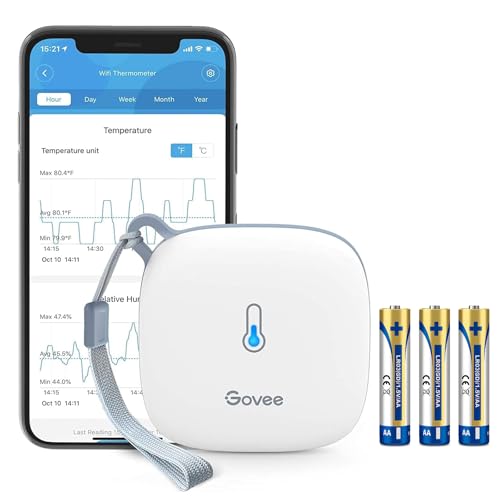
The H5179 is our best smart thermometer for most people because it talks to your router directly. As a result, you can open the Govee Home app from anywhere and see the room right now.
On the measuring side, Govee lists a temperature tolerance of +/-0.54 F (+/-0.3 C) and +/-3% relative humidity. In addition, the sensor refreshes every 2 seconds, so it reacts fast when a heater kicks on. Also, the app keeps the graphs, and you can export up to 2 years of data as a CSV file for a spreadsheet.
- Accuracy: +/-0.54 F (+/-0.3 C) and +/-3% RH, per Govee
- Connection: 2.4 GHz WiFi only (no 5 GHz)
- Refresh: every 2 seconds
- Data: up to 2 years of export to CSV
- Power: three AA batteries, about 7 months per set
Pros
- No hub or gateway needed for remote viewing
- Fast refresh shows changes quickly
- Easy CSV export for long-term logs
Cons
- Will not join a 5 GHz-only network
- AA batteries need changing about twice a year
- Govee says you set alert ranges over Bluetooth, so you must be close by
Skip it if: your router only broadcasts 5 GHz, or you want a sensor for a wet spot; look at the SensorPush HT.w instead.
Best Budget
2. Govee Bluetooth Hygrometer Thermometer H5075
Best for: a low-cost bedroom, nursery or closet monitor with a big screen.
The H5075 is the low-cost way into app logging. First, it has a 3-inch LCD, so you can read it across the room with no phone at all. Then, when your phone comes within range, the Govee app pulls the stored readings and draws the graph.
Govee lists +/-0.32 C (about +/-0.58 F) and +/-3% RH, which is close to the WiFi model above. However, Bluetooth limits range. Govee’s FAQ gives a maximum of about 164 ft (50 m) in open space, and walls cut that down. So place it where you spend time, not in a far-off garage.
- Accuracy: +/-0.32 C (about +/-0.58 F) and +/-3% RH, per Govee
- Display: 3-inch LCD
- On-device graphs: about 20 days
- Export: up to 2 years of data as CSV
- Power: two AAA batteries, about 6 months
Pros
- Large, clear screen for quick glances
- Same accuracy class as many pricier units
- Good first sensor for a single room
Cons
- Bluetooth only, so remote checks need extra gear
- Shorter battery life than coin-cell sensors
- Range drops sharply through walls
Skip it if: you need alerts while you are away; pick the WiFi H5179 or a hub-based kit.
Best Display
3. SwitchBot Meter Pro

Best for: a desk or wall display that also feeds a smart home.
The Meter Pro is a smart thermometer that doubles as a small home dashboard. For example, its screen shows temperature, humidity, time, date and a comfort icon. In addition, it shows a weather forecast once you pair a SwitchBot Hub.
Also, its specs are strong for the money. SwitchBot’s manual lists +/-0.2 C (+/-0.36 F) from 32 to 149 F (0 to 65 C) and +/-2% RH from 10 to 90% RH. Also, the measuring range runs from -4 to 176 F (-20 to 80 C). Moreover, Bluetooth reaches up to 120 m (about 394 ft) in open space, which is long for a room sensor.
- Range: -4 to 176 F (-20 to 80 C)
- Accuracy: +/-0.2 C (+/-0.36 F) from 0 to 65 C; +/-2% RH from 10 to 90% RH
- Bluetooth: up to 120 m (about 394 ft) with no obstacles
- Power: two AA batteries, about 1 year
- Hub 2 adds remote access and Apple Home control
Pros
- Tight published tolerance for both readings
- Rich screen with clock and comfort level
- About a year per set of AA batteries
Cons
- Forecast and remote access need a hub
- Larger than a plain sensor
- Indoor use only
Skip it if: you want one gadget that works away from home out of the box; the Govee H5179 does that without a hub.
Best Accuracy
4. SensorPush HT.w Water-Resistant Smart Sensor
Best for: cigar humidors, wine racks, crawl spaces and other demanding spots.
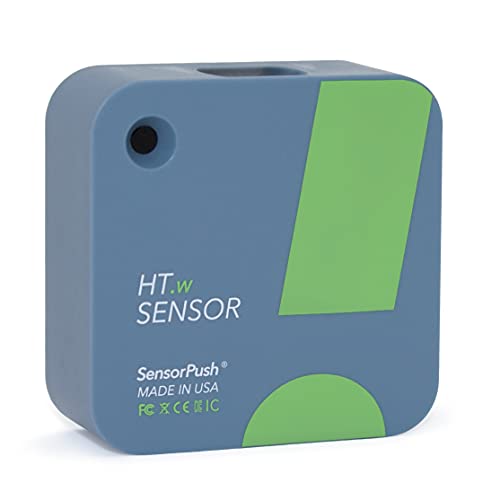
SensorPush publishes more detail than most brands, and that is why it earns our accuracy pick. For temperature, it lists +/-0.2 C typical (+/-0.4 C maximum) between 20 and 60 C. Across its full range of -40 to 140 F (-40 to 60 C), the figure widens to +/-0.6 C typical. Similarly, for humidity, it lists +/-2% typical from 10 to 90% RH.
The HT.w also has a sealed membrane and o-rings, so it handles splashes and rain. However, it has no screen. Instead, you read it in the app, and you need the optional G1 WiFi Gateway to check it over the internet. The sensor stores more than a month of readings, taken once per minute, so you lose nothing between syncs.
- Range: -40 to 140 F (-40 to 60 C)
- Accuracy: +/-0.2 C typical from 20 to 60 C; +/-2% RH typical from 10 to 90% RH
- Wireless: about 325 ft (100 m) line of sight
- Storage: over a month on the sensor, one reading per minute
- Power: CR2477 coin cell, typically over 2 years
Pros
- Clear, honest accuracy tables
- Splash- and rain-proof build
- Coin cell lasts years
Cons
- No display on the unit
- Remote access needs the G1 gateway
- Not made to be submerged
Skip it if: you want to read the number at a glance; a screen model like the SwitchBot Meter Pro fits better.
Best Backlit Screen
5. ThermoPro TP350 Bluetooth Hygrometer Thermometer

Best for: basements, greenhouses and dim rooms where you read the screen in low light.
The TP350 comes from ThermoPro, which now sells it under the TempPro name. In fact, it is a Bluetooth 5.0 sensor with a backlit screen, so you can read it in a dark basement. Also, the maker rates its Bluetooth range at 260 ft (80 m) with no obstructions, which helps in a detached greenhouse.
However, its tolerance is looser than the SwitchBot and SensorPush picks. Specifically, the maker lists +/-0.9 F (+/-0.5 C) from 32 to 140 F and +/-2% RH from 20 to 80% RH. That still suits mold and plant checks. Meanwhile, the app stores up to 2 years of data for export.
- Range: -4 to 140 F (-20 to 60 C)
- Accuracy: +/-0.9 F (+/-0.5 C) from 32 to 140 F; +/-2% RH from 20 to 80%
- Bluetooth 5.0: up to 260 ft (80 m) in open air
- Refresh: every 10 seconds
- Power: two AAA batteries
Pros
- Backlight makes night reading easy
- Long Bluetooth range
- Two years of exportable history
Cons
- Wider temperature tolerance than top picks
- Bluetooth only, no built-in WiFi
- Real-world range is shorter through walls
Skip it if: you need tight accuracy for a wine cellar or humidor; the SensorPush HT.w is the better tool.
Best Multi-Room Kit
6. SwitchBot Indoor/Outdoor Thermo-Hygrometer 4-Pack with Hub 2

Best for: whole-home coverage, including a porch, garage or shed.
Basically, this kit pairs four IP65 sensors with the SwitchBot Hub 2. As a result, you can cover a bedroom, a nursery, a garage and the patio at once. The hub links them to WiFi, so you can check readings away from home. In addition, the Hub 2 has its own temperature and humidity sensor.
For each outdoor sensor, SwitchBot lists humidity accuracy up to +/-1.8% RH and a 394 ft connecting distance with no obstacles. Moreover, the batteries last up to two years. Meanwhile, each sensor keeps 68 days of readings on board, and the app keeps up to 2 years. However, push alerts need the hub, which this bundle includes.
- Rating: IP65 dust- and water-resistant sensors
- Humidity accuracy: up to +/-1.8% RH, per SwitchBot
- Distance: up to 394 ft with no obstacles
- Storage: 68 days on board; 2 years in the app
- Battery life: up to two years
Pros
- Covers indoor and outdoor spots in one buy
- Hub enables remote checks and alerts
- Long battery life
Cons
- Small sensors have no large display
- Costs more than a single sensor
- Outdoor units still need shade from direct sun
Skip it if: you only need to watch one room; a single Govee or SwitchBot meter costs far less.
Best Long Range
7. YoLink Indoor Temperature and Humidity Sensor Kit

Best for: barns, cabins, detached garages and vacation homes far from the router.
YoLink uses LoRa, a long-range, low-power radio. In fact, the company claims a receiving range of about 1/4 mile (1,320 ft) in open conditions. Therefore, a sensor in a pump house or a barn can reach a hub inside the main house. This kit bundles two sensors with a hub, and every sensor needs that hub.
We could not find a published accuracy figure on the YoLink pages we read, so we cannot compare it with the others on that point. Also, the YoLink app is free with no subscription, and the system works with Alexa, IFTTT and Home Assistant.
- Radio: LoRa, with a claimed range of about 1/4 mile
- Hub: required; this kit includes one
- App: free, with no subscription
- Battery: years between changes, per YoLink
- Works with Alexa, IFTTT and Home Assistant
Pros
- Reaches buildings other sensors cannot
- Hub included in the kit
- Low-power radio stretches battery life
Cons
- No published accuracy on the pages we read
- Every sensor depends on the hub
- Locks you into the YoLink system
Skip it if: all your rooms are in one house near the router; WiFi or Bluetooth sensors are simpler.
Best for Zigbee
8. SONOFF SNZB-02WD Zigbee LCD Sensor
Best for: anyone running Home Assistant or another Zigbee hub.
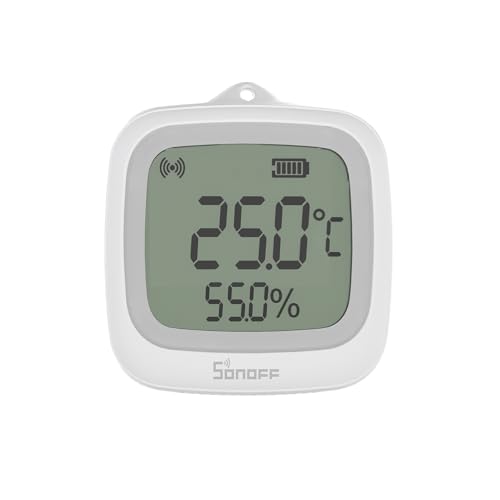
If you already run Zigbee, the SNZB-02WD is a strong fit. Specifically, it uses Zigbee 3.0, shows readings on a 2.2-inch LCD and carries an IP65 splash rating. SONOFF lists +/-0.2 C (+/-0.36 F) and +/-2% RH, which is among the tightest specs here.
However, it needs a Zigbee hub or dongle, such as a SONOFF ZBDongle for Home Assistant or a ZBBridge-U for Apple Home over Matter. Additionally, in the eWeLink app, it keeps up to 180 days of history for export. Also note SONOFF’s own caveat: near -4 F (-20 C), readings can drift by up to +/-0.7 C, and battery capacity drops.
- Accuracy: +/-0.2 C (+/-0.36 F) and +/-2% RH
- Operating range: -4 to 140 F (-20 to 60 C)
- Protocol: Zigbee 3.0; IP65 splash-proof
- Display: 2.2-inch LCD
- Power: CR2477 coin cell; about 50 m through walls, per SONOFF
Pros
- Tight published tolerance
- Works locally with Home Assistant
- Magnetic back and many mount options
Cons
- Useless without a Zigbee hub
- Not rated for submersion or open rain
- Less accurate near its cold limit
Skip it if: you do not own a Zigbee hub and do not plan to buy one; the Govee H5179 is easier.
How We Chose the Best Smart Thermometer
We did not run hands-on tests. Instead, these picks are research-based. First, we read maker spec pages and manuals. Then we checked federal advice on humidity and food storage, and we weighed owner feedback. Finally, we scored each sensor on these points:
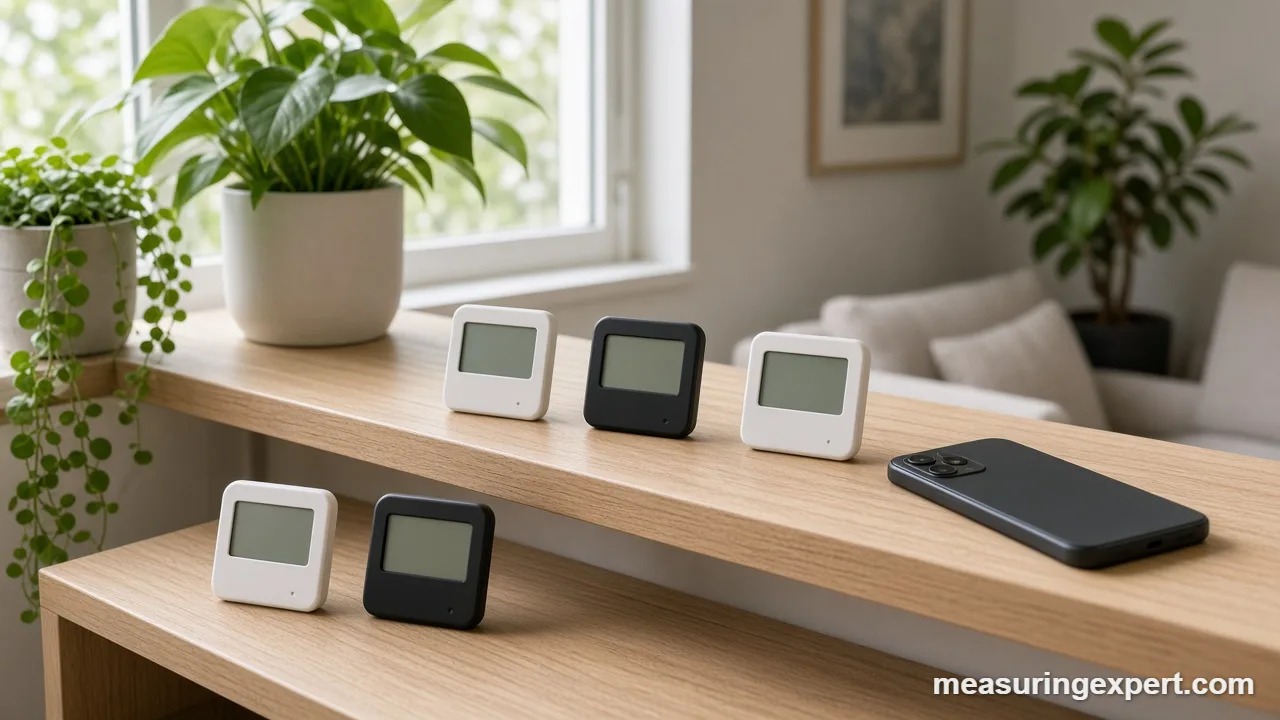
- Published accuracy: a clear tolerance for both temperature and humidity earned credit. Where a maker lists none, we say so.
- Range and radio: we noted how far each sensor reaches and whether it needs a hub.
- Data: on-board storage, app history and CSV export all matter for spotting trends.
- Build: splash ratings, display size and battery life decide where a sensor can live.
- Variety: we covered WiFi, Bluetooth, Zigbee and LoRa, with no more than two picks per brand.
Our sources include the EPA’s guide to mold and moisture, the FDA page on storing food safely, and spec pages from Govee, SwitchBot, SensorPush, ThermoPro (TempPro), YoLink and SONOFF.
WiFi, Bluetooth, Zigbee or LoRa: Which Radio Fits?
In practice, the radio decides more about daily use than the sensor chip does. So pick it first, and then compare accuracy.
| Radio | Hub needed? | Typical reach | Good for | Example |
|---|---|---|---|---|
| WiFi | No | Anywhere your 2.4 GHz WiFi reaches | Remote alerts with one device | Govee H5179 |
| Bluetooth | Only for remote checks | About 160 to 400 ft in open air | One room you visit often | Govee H5075, TP350, Meter Pro |
| Zigbee | Yes | About 50 m through walls (SONOFF) | Home Assistant and local automations | SONOFF SNZB-02WD |
| LoRa | Yes | About 1/4 mile claimed (YoLink) | Barns, sheds and second buildings | YoLink kit |
Of course, Bluetooth figures are best-case numbers. In practice, walls, floors and metal appliances shorten them.
Best Smart Thermometer Specs, Explained
Spec sheets look alike, yet the small print changes the meaning. So here is what each number tells you.
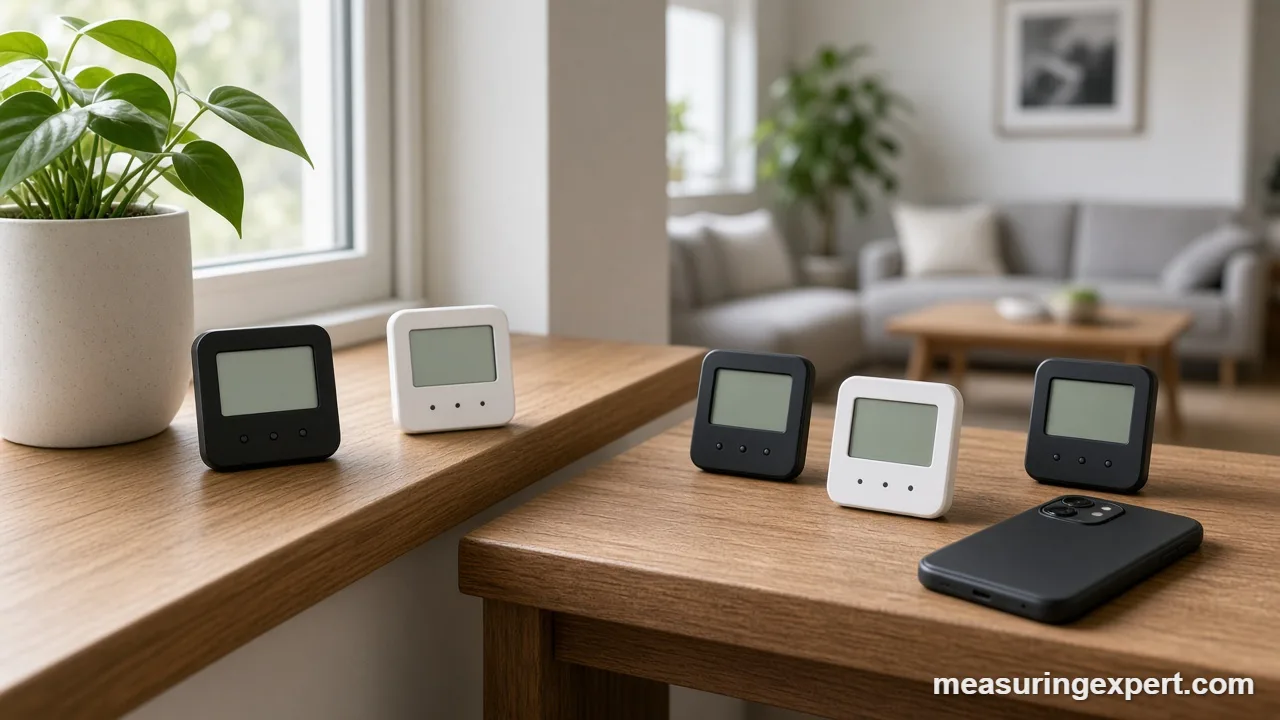
Temperature tolerance. For example, a tolerance such as +/-0.3 C means the reading can sit up to 0.3 C above or below the true value. Note that a tolerance converts to Fahrenheit by multiplying by 1.8 only, with no 32 added. So +/-0.3 C equals +/-0.54 F, and +/-0.5 C equals +/-0.9 F. Also, read the range each tolerance covers.
Humidity tolerance. Relative humidity (RH) is the share of water vapor the air holds compared with the most it could hold at that temperature. A spec of +/-2% RH is good for a home sensor, while +/-3% RH is common. In addition, accuracy usually gets worse near 0 and 100% RH.
Refresh and logging. First, the refresh rate is how often the screen updates. The logging interval, by contrast, is how often the app saves a point. As a result, a sensor that logs once per minute shows short spikes that a 10-minute log can miss.
Dew point. Finally, dew point is the temperature at which moisture starts to condense. For example, air at 70 F and 50% RH has a dew point of about 50.5 F (10.3 C). So a cold window or pipe below that value will collect water.
Want more on how scientists define these units? Our page on units of measurement in science covers kelvin and other SI units.
Where to Place the Best Smart Thermometer
In fact, placement causes more bad readings than weak sensors do. Use these rules of thumb:
- Height: mount it about 4 to 5 ft (1.2 to 1.5 m) up, near where people sit or sleep.
- Heat sources: keep it away from sunny windows, lamps, TVs, routers and heat vents.
- Airflow: avoid dead corners and spots right in a fan’s stream.
- Outdoors: use an outdoor-rated unit in full shade, ideally on a north-facing wall.
- Fridges and freezers: place the sensor in the middle of the space, not against a wall or near the door.
For a full outdoor setup with wind and rain gauges, our best weather station guide goes deeper.
Celsius and Fahrenheit Converter
Some apps default to Celsius, while US guidance often uses Fahrenheit. So use this tool to switch between the two scales or to kelvin.
In short, the formulas are simple: F = C x 9/5 + 32, and C = (F – 32) x 5/9. For instance, the FDA freezer target of 0 F is about -18 C. For kitchen conversions, see our Fahrenheit to Celsius baking chart.
How to Set Up a Smart Thermometer, Step by Step
In general, these steps suit most brands. Still, follow your own manual where it differs.
- Pick the spot: Mount the sensor about 4 to 5 ft (1.2 to 1.5 m) above the floor, away from windows, vents, lamps and electronics.
- Insert fresh batteries: Use the battery type the maker lists, and note the date so you can plan the next change.
- Install the app: Download the brand’s app, then turn on Bluetooth and location access so it can find the sensor.
- Pair and name it: Add the sensor in the app and give it a clear room name, such as Nursery or Garage.
- Connect a hub if needed: Join the WiFi model, gateway or hub to a 2.4 GHz network if you want remote checks.
- Let it settle: Wait one to two hours before you trust the first readings, because a new sensor needs time to match the room.
- Set alert ranges: Choose high and low limits, for example 30 to 50 percent humidity for a bedroom.
- Check against a reference: Compare with a trusted thermometer and enter an offset in the app if the reading is off.
Check and Calibrate Your Sensor
Even a good sensor can drift over the years. Therefore, check it once or twice a year with these simple tests.
Side-by-side check. First, set the smart sensor next to a trusted reference thermometer in still air, away from sun and vents. Then wait one to two hours and compare. If the gap stays steady and exceeds the listed tolerance, enter an offset in the app, if your app offers one.
Salt test for humidity. First, mix table salt with a few drops of water to make a damp paste in a small cap. Next, seal it inside a zip bag or airtight box with the sensor for 8 to 12 hours at room temperature. The air above saturated salt settles near 75% RH, so a sensor that reads 72% is about 3 points low.
Do not dunk a room sensor in ice water. After all, most are not waterproof, and even splash-rated models are not made for submersion.
Do and Don’t Tips
Honest Limits of Even the Best Smart Thermometer
In short, a smart thermometer tells you what the air is doing at one spot. However, it cannot tell you why. For example, a high humidity reading may come from a leak, a dryer vent or simply a hot shower. Also, cheap sensors may need an offset to agree with each other. Finally, no app alert replaces a smoke, CO or water leak alarm, so treat these sensors as early warnings only.
Best Smart Thermometer FAQ
What is the best smart thermometer for a home?
For most homes, the best smart thermometer is the Govee H5179, because it connects to WiFi without a hub and logs up to 2 years of data. For tighter accuracy, choose the SensorPush HT.w.
Do I need a hub for a smart thermometer?
It depends on the radio. WiFi models such as the Govee H5179 need no hub. Bluetooth models work without one at home, but you need a gateway or hub for remote checks. Zigbee and LoRa sensors always need a hub.
How accurate are smart room thermometers?
In general, good models list about +/-0.2 to +/-0.5 C (+/-0.36 to +/-0.9 F) and +/-2 to +/-3% RH. Real accuracy also depends on placement, so keep sensors away from sun, vents and electronics.
What indoor humidity should I aim for?
The EPA advises keeping indoor humidity below 60 percent, ideally between 30 and 50 percent. So a smart hygrometer with alerts helps you stay in that band.
What is the best smart thermometer for a fridge or freezer?
Pick one rated for the cold, so check the listed operating range first. For example, the SensorPush HT.w reads down to -40 F, while several screen models stop at -4 F. The FDA advises 40 F or below for a fridge and 0 F for a freezer.
Is a smart thermometer the same as a body thermometer with an app?
No. Instead, this guide covers room and environment sensors. For fever checks, see our guide to the best thermometer for body temperature, and for cooking, see our wireless meat thermometer picks.
How do I check if my smart thermometer reads correctly?
Place it next to a trusted reference thermometer for one to two hours in still air, then compare. For humidity, a sealed salt test gives about 75% RH. In addition, many apps let you enter an offset to correct a small error.
Why do two smart thermometers in the same room show different readings?
Simply put, small tolerances add up. If one sensor reads 0.3 C high and another reads 0.3 C low, they can differ by about 1 F. Height, drafts and nearby heat sources also change the reading.
Will a smart thermometer work outdoors?
Only if the maker rates it for outdoor use. The SwitchBot outdoor sensors and the SensorPush HT.w handle splashes and rain. Even so, keep any sensor in the shade, or the sun will push the reading up.
How long do smart thermometer batteries last?
Overall, it varies by design. Makers list about 6 months for the Govee H5075 on AAA cells, about a year for the SwitchBot Meter Pro on AA cells, and typically over 2 years for the SensorPush coin cell.
Bottom Line: Our Best Smart Thermometer Pick
For most homes, the Govee H5179 is the best smart thermometer to buy. Above all, it sends readings over WiFi with no hub, refreshes every 2 seconds and exports up to 2 years of data. If you only watch one room, the Govee H5075 costs less. For a humidor, wine rack or crawl space, choose the SensorPush HT.w instead.
2 thoughts on “Best Smart Thermometer for Home: 8 WiFi, Bluetooth and Zigbee Sensors (2026)”