

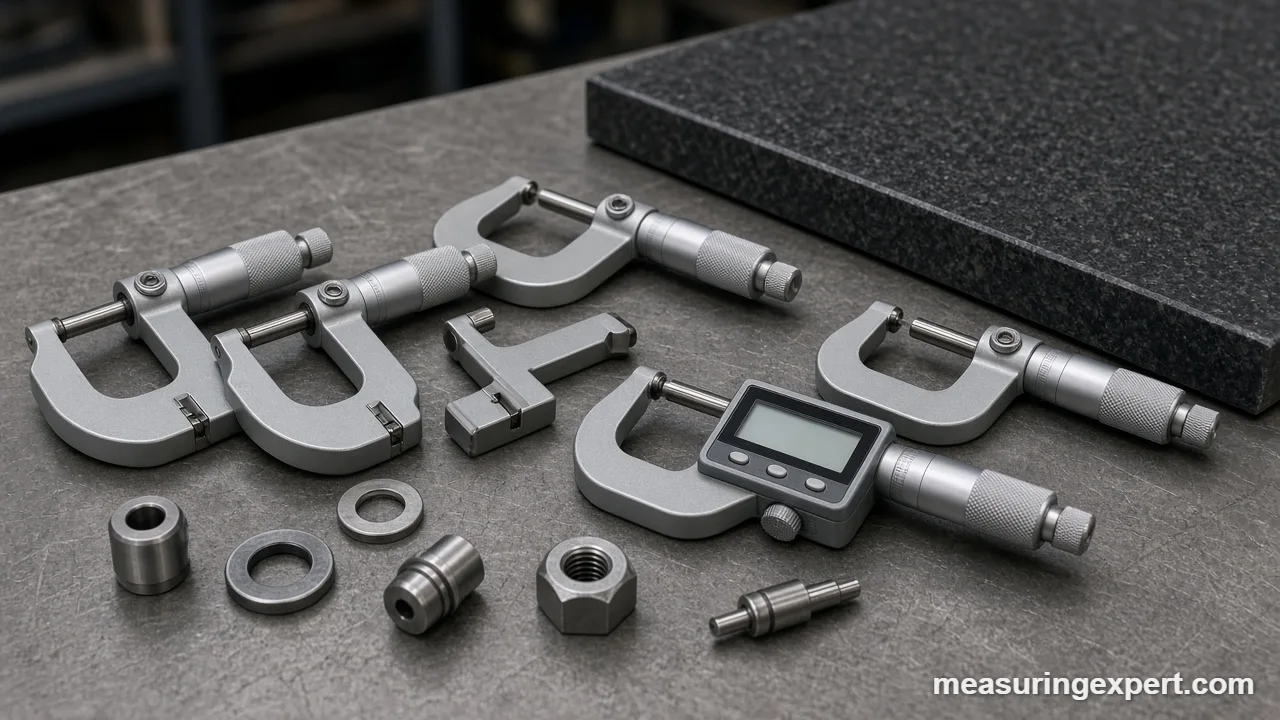
The best micrometer for most buyers is the Mitutoyo 293-340, a 0-1 inch digital outside micrometer rated at +/-0.00005 in with IP65 sealing. However, the right pick depends on three things: digital or mechanical reading, the range you need, and whether you want a ratchet stop or a friction thimble.
In short: get the Mitutoyo 293-340 for shop accuracy, the iGaging digital on a budget, and the Starrett 436 if you want a battery-free classic.
As an Amazon Associate, Measuring Expert earns from qualifying purchases. Our picks are based on research, specifications and owner feedback, not paid placement.
Best Overall
Best Budget

Best Mechanical

Best Micrometer Picks at a Glance
- Overall: Mitutoyo 293-340, digital, IP65, +/-0.00005 in.
- Mechanical classic: Starrett 436.1XRL-1 with ratchet stop and carbide faces.
- Budget digital: iGaging 0-1 in with an inch/mm LCD.
- Tenths without a battery: Mitutoyo 103-260 vernier.
- Mid-price digital: INSIZE 3109-25E with ABS/INC modes.
- Friction thimble: Fowler 52-253-001-1 with a lever lock.
- Full 0-4 in set: Accusize EG00-0904; for learning, the General Tools 102.
On This Page
- Comparison table
- The 8 picks, reviewed
- How we chose
- Mechanical, vernier or digital
- How to read the sleeve and thimble
- Inch to mm converter
- Ratchet stop vs friction thimble
- How to measure a part
- Specs that matter
- Zero checks and care
- Micrometer or caliper
- Honest limits
- FAQ
- Bottom line
Best Micrometer Comparison Table
First, decide between digital and mechanical. Then check the range and the standout feature, and jump to the full review.
| # | Product | Best For | Standout Feature | Amazon |
|---|---|---|---|---|
| 1 | Mitutoyo 293-340 Digimatic | Shop and inspection work | IP65 digital, 0.00005 in steps | View |
| 2 | Starrett 436.1XRL-1 | A no-battery bench tool | Carbide faces, ratchet stop, lock nut | View |
| 3 | iGaging 0-1 in Digital | Hobby machining and 3D printing | Inch/mm LCD at a budget price | View |
| 4 | Mitutoyo 103-260 | Reading tenths without a battery | 0.0001 in vernier on the sleeve | View |
| 5 | INSIZE 3109-25E | Step-up digital for home shops | ABS/INC modes, carbide faces | View |
| 6 | Fowler 52-253-001-1 | One-hand use with a friction thimble | Friction thimble plus lever lock | View |
| 7 | Accusize 0-4 in Set | Covering 0 to 4 in in one case | Four vernier mics with standards | View |
| 8 | General Tools 102 | Students and occasional DIY use | Simple 0.001 in scale, carbide faces | View |
The 8 Best Micrometer Picks, Reviewed
Every pick here is an outside micrometer screw gauge. First, we start with digital and mechanical 0-1 inch tools, then cover vernier, friction thimble, a full set and a starter model.
Best Overall
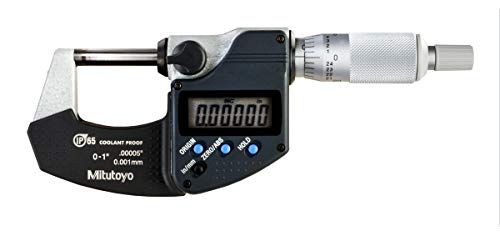
1. Mitutoyo 293-340 Coolant-Proof Digimatic (0-1 in)
Best for: Machinists, inspectors and serious hobbyists who want a fast digital reading they can trust next to coolant and oil.
The Mitutoyo 293-340 is our pick as the best micrometer for most buyers. It reads 0 to 1 inch (0 to 25.4 mm) in 0.00005 in (0.001 mm) steps, and Mitutoyo rates it at +/-0.00005 in. So the display resolution and the rated accuracy match, which is rare at this level.
In addition, the frame and display carry an IP65 rating. As a result, cutting fluid and shop dust are not a reason to put it away. Also, a ratchet stop sets the measuring force, and it switches between inch and metric with one button. Note that the current Amazon listing is the 293-340-32 version of this 0-1 inch model.
- Range: 0 to 1 in (0 to 25.4 mm)
- Resolution: 0.00005 in / 0.001 mm
- Rated accuracy: +/-0.00005 in
- Protection: IP65 (dust tight, water jet resistant)
- Force control: ratchet stop; power: one SR44 cell
Pros
- Accuracy matches the display step
- IP65 for wet, oily shop work
- Also simple inch/mm switching
Cons
- Costs several times a budget digital
- Battery needs a spare in the drawer
- More resolution than woodwork needs
Skip it if: You only check sheet stock to the nearest thousandth, because a mechanical micrometer does that for far less.
Best Mechanical
2. Starrett 436.1XRL-1 Outside Mic (0-1 in)
Best for: Machinists and students who want a classic mechanical micrometer that never needs a battery.
Starrett is one of the oldest names in American precision tools, and the 436 series is its everyday workhorse. This model reads 0 to 1 inch with 0.001 in graduations on the thimble. Meanwhile, the sleeve uses staggered lines and clear figures, so it is easy to read the 0.025 in marks under shop light.
Moreover, carbide measuring faces resist wear from thousands of closings. Also, a ratchet stop gives the same contact force each time, and a knurled ring lock nut holds a reading while you lift the tool away. Finally, the satin chrome finish cuts glare.
- Range: 0 to 1 in
- Graduation: 0.001 in
- Faces: carbide
- Force control: ratchet stop
- Lock: knurled ring lock nut; satin chrome, tapered frame
Pros
- No battery and no electronics to fail
- Carbide faces wear slowly
- Also an easy-to-read sleeve
Cons
- Reads 0.001 in, not 0.0001 in
- You must learn to read the scale
- No metric scale on this model
Skip it if: You need tenths (0.0001 in), because the vernier Mitutoyo below reads ten times finer.
Best Budget Digital
3. iGaging 0-1 in Digital Electronic Micrometer
Best for: Hobby machinists, 3D printing fans and reloaders who want a digital readout without a pro price.
iGaging is a well-known budget brand for digital measuring tools. For instance, its 0-1 inch digital micrometer shows inch or metric on a large LCD. iGaging lists 0.00005 in (0.001 mm) resolution for its 0-1 inch digital model, with carbide anvils and a hardened, ground spindle.
However, iGaging rates accuracy at about +/-0.00015 in (0.003 mm), which is three display steps. So treat the last digit as a hint, not a promise. For filament diameter, wall thickness and shim stock, that is still plenty.
- Range: 0 to 1 in (0 to 25 mm)
- Display: inch/metric LCD
- Resolution (listed): 0.00005 in / 0.001 mm
- Rated accuracy (listed): +/-0.00015 in (0.003 mm)
- Faces: carbide; hardened, ground spindle
Pros
- Digital reading at a low price
- Large display is easy to read
- Also fine for filament and shims
Cons
- Accuracy is coarser than the display
- Not rated for coolant splash
- Fit and finish below Mitutoyo
Skip it if: You inspect parts to a tolerance of a few ten-thousandths, since the rated accuracy is too loose for that.
Best Vernier
4. Mitutoyo 103-260 Vernier (0-1 in)
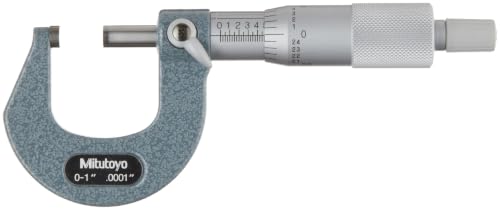
Best for: Toolmakers and students who want to read 0.0001 in on a mechanical scale.
A vernier micrometer adds a second scale on the sleeve. That scale splits each 0.001 in thimble line into ten parts, so you can read 0.0001 in without electronics. The Mitutoyo 103-260 is a clean example: 0 to 1 inch, 0.0001 in graduation and a rated accuracy of +/-0.0001 in.
In addition, the faces are carbide tipped, with a listed flatness of 0.000024 in. Also, a ratchet stop gives even pressure for repeat readings. Plus, the tapered frame on the anvil side also reaches into narrow spots.
- Range: 0 to 1 in
- Graduation: 0.0001 in (vernier)
- Rated accuracy: +/-0.0001 in
- Faces: carbide tipped; flatness 0.000024 in
- Force control: ratchet stop; baked-enamel tapered frame
Pros
- Reads tenths with no battery
- Rated accuracy matches the scale
- Also a great teaching tool
Cons
- Vernier reading takes practice
- Slower than a digital readout
- Inch only
Skip it if: You want a fast reading for production checks, because the digital Mitutoyo above is quicker.
Best Mid-Price Digital
5. INSIZE 3109-25E Electronic Outside Micrometer (0-1 in / 0-25 mm)
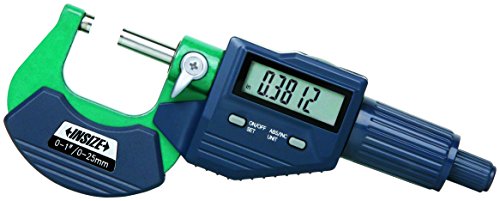
Best for: Home shop owners who want a step up from budget digital without paying for a top brand.
INSIZE is an established metrology brand sold through industrial suppliers. The 3109-25E covers 0 to 1 inch (0 to 25 mm) at 0.00005 in (0.001 mm) resolution. Also, it has carbide faces, a ratchet thimble and a spindle lock.
Next, the display offers inch/mm switching plus absolute and incremental (ABS/INC) modes. For example, incremental mode lets you zero on a reference part and then read plus or minus from it. Finally, INSIZE builds its electronic micrometers to the DIN 863 standard.
- Range: 0 to 1 in / 0 to 25 mm
- Resolution: 0.00005 in / 0.001 mm
- Faces: carbide; ratchet thimble; spindle lock
- Modes: inch/mm, ABS/INC, auto power off
- Power: SR44 cell; built to DIN 863
Pros
- ABS/INC mode helps compare parts
- Carbide faces and spindle lock
- Also a fair price for the build
Cons
- No IP rating listed for this model
- No data output listed
- Fewer dealers than Mitutoyo
Skip it if: Your shop floor is wet with coolant, because the IP65 Mitutoyo is sealed for that.
Best Friction Thimble
6. Fowler 52-253-001-1 Premium (0-1 in)
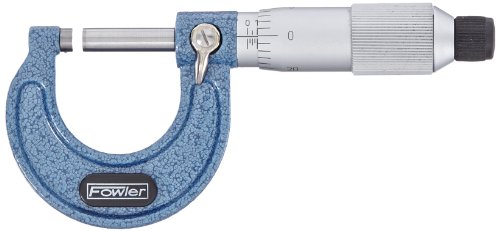
Best for: Mechanics and machinists who like to work the micrometer with one hand.
Fowler has sold measuring tools to US machinists for decades. This 0-1 inch micrometer uses a friction thimble instead of a ratchet stop. So the whole thimble slips at a set torque, and you can turn it with one finger while you hold the part.
In addition, Fowler lists carbide-tipped faces 0.256 in across, with flatness of 0.00003 in and parallelism of 0.00005 in. Meanwhile, a positive lever lock holds the spindle. See the Fowler 52-253 spec page for the full listing.
- Range: 0 to 1 in
- Graduation: 0.001 in
- Faces: carbide tipped, 0.256 in diameter
- Flatness 0.00003 in; parallelism 0.00005 in
- Force control: friction thimble; positive lever lock
Pros
- Friction thimble suits one-hand use
- Lever lock is quick to set
- Also a grippy ribbed frame
Cons
- Reads 0.001 in only
- No vernier for tenths
- Inch only
Skip it if: You prefer the click of a ratchet stop, because the Starrett above uses one.
Best Set
7. Accusize EG00-0904 Outside Micrometer Set (0-4 in, 4 pieces)
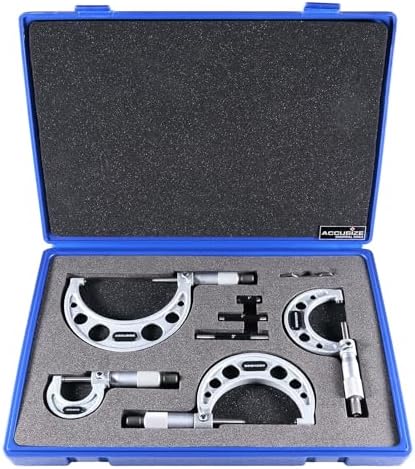
Best for: New machinists and engine builders who need to measure parts larger than 1 inch.
An outside micrometer only travels 1 inch (25 mm). So a 2.5 inch shaft needs a 2-3 inch frame. For that reason, this Accusize set includes four micrometers: 0-1, 1-2, 2-3 and 3-4 inches, each with a 0.0001 in vernier.
Also, the kit includes calibration standards and an adjustment wrench in a fitted case. The standards matter, because a 1-2 inch micrometer cannot close to zero. Instead, you check it on the 1 inch standard. Each tool has a carbide-tipped anvil, a ratchet and a lock nut. Details are on the Accusize EG00-0904 product page.
- Ranges: 0-1, 1-2, 2-3 and 3-4 in
- Graduation: 0.0001 in vernier
- Faces: carbide-tipped anvil; hardened, ground spindle
- Force control: ratchet; lock nut on each
- Includes: setting standards, wrench, fitted case
Pros
- Four ranges in one case
- Standards included for zero checks
- Also vernier tenths on every frame
Cons
- Large case for a small drawer
- Vernier reading takes practice
- Fit and finish below top brands
Skip it if: You only measure small parts, because a single 0-1 inch micrometer is enough.
Best for Beginners
8. General Tools 102 Utility Mic (0-1 in)

Best for: Students, hobbyists and DIY users who want to learn to read a micrometer for little money.
The General Tools 102 is a basic 0-1 inch utility micrometer. It reads in 0.001 in steps, and the maker lists accuracy of +/-0.001 in.
For example, it is a good way to check wire gauge, sheet thickness or a bolt diameter. It has ground and polished carbide faces, a satin chrome barrel and a lock for repeat checks. Also, a calibration wrench is included, so you can reset zero. If you mostly measure larger parts, see our tools to measure length guide for other options.
- Range: 0 to 1 in
- Graduation: 0.001 in
- Listed accuracy: +/-0.001 in
- Faces: ground and polished carbide
- Includes: spindle lock and calibration wrench
Pros
- Low cost way to learn the scale
- Carbide faces at a budget price
- Also includes a zero wrench
Cons
- Accuracy of only +/-0.001 in
- No ratchet stop listed
- Not for machining tolerances
Skip it if: You machine parts to close tolerances, since any pick above holds tighter accuracy.
How We Chose the Best Micrometer Picks
To be clear, we did not test these tools by hand. Instead, our picks are research-based. First, we read maker and dealer spec pages for range, graduation, rated accuracy, face material and force control. Next, we weighed owner feedback on fit, finish and how well each tool holds zero. Finally, we checked unit math against the NIST page on SI units of length, which confirms that 1 inch equals exactly 25.4 mm.
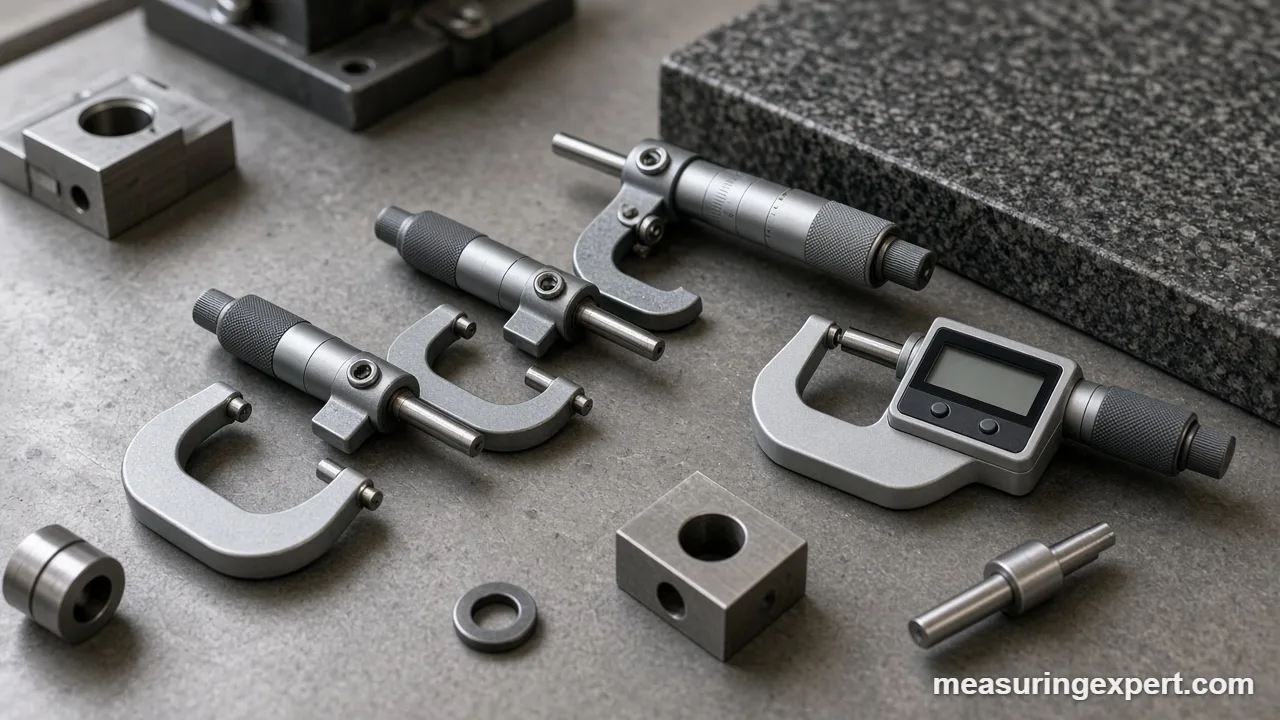
We also kept to established brands and allowed at most two products per brand. In addition, we left out thread, blade and depth micrometers, because this guide covers outside micrometers only.
In scoring, a rated accuracy close to the display step counted most. Then came force control, carbide faces and a sensible range.
Mechanical, Vernier or Digital: Which Best Micrometer Type?
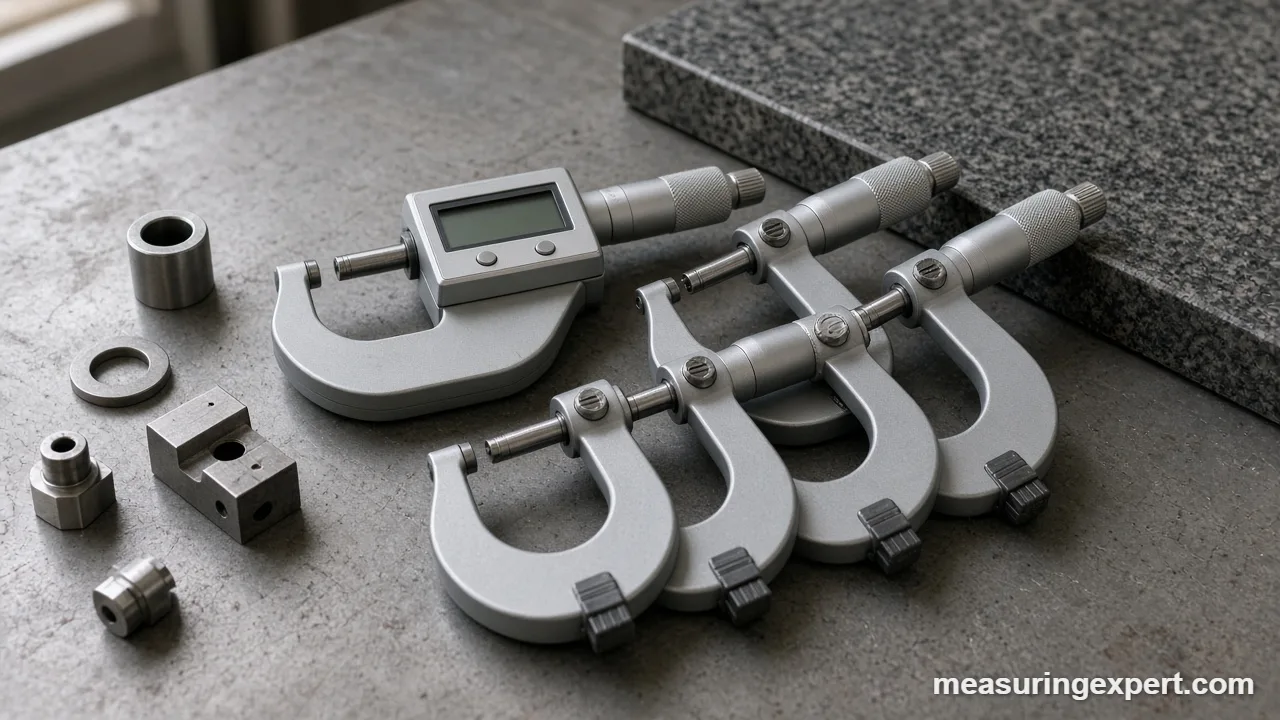
Every outside micrometer works the same way inside. Specifically, a precision screw moves the spindle toward the anvil, and each turn of the thimble moves it a fixed distance. The only difference is how you read that distance. For example, a mechanical tool uses lines, a vernier adds a fine second scale, and a digital tool shows a number.
| Type | Typical step | Strength | Weak spot |
|---|---|---|---|
| Mechanical (standard) | 0.001 in / 0.01 mm | No battery, very durable | You must read the scale |
| Vernier mechanical | 0.0001 in / 0.001 mm | Reads tenths with no battery | Slow and easy to misread |
| Digital (electronic) | 0.00005 in / 0.001 mm | Fast, inch/mm switch, zero anywhere | Battery, display can mislead |
How to Read a Micrometer Sleeve and Thimble
Reading a mechanical scale is simple once you know the screw pitch. For instance, on an inch micrometer, the screw has 40 threads per inch. So one full turn of the thimble moves the spindle 1/40 in, which is 0.025 in.
Inch scale, step by step
- Read the largest numbered line on the sleeve that you can see. Each number is 0.100 in, so “2” means 0.200 in.
- Count the small lines past that number. Each one adds 0.025 in.
- Read the thimble line that sits on the sleeve’s center line. In addition, each thimble line is 0.001 in, and there are 25 of them.
- Finally, add the three values together.
For example, say you see “2” plus two small lines, and the thimble reads 3. Then the reading is 0.200 + 0.050 + 0.003 = 0.253 in.
Adding the vernier for tenths
A vernier micrometer has ten extra lines along the top of the sleeve. Then find the vernier line that lines up exactly with any thimble line. As a result, that number gives ten-thousandths. So if line 5 lines up in the example above, the reading becomes 0.2535 in, which is 6.4389 mm.
Metric scale
A metric micrometer usually has a 0.5 mm screw pitch. Therefore, the sleeve shows whole millimeters above the line and half millimeters below it. Meanwhile, the thimble has 50 lines, and each is 0.01 mm. For example, 6 mm plus one half line plus 38 on the thimble reads 6 + 0.5 + 0.38 = 6.88 mm, or about 0.2709 in.
Best Micrometer Unit Converter: Inches to Millimeters
Often, drawings mix inch and metric sizes. Also, a mechanical micrometer reads in only one unit. So use this converter to turn a reading into millimeters or thousandths (mils). The default is the 0.2535 in example.
Because the inch is exactly 25.4 mm, these conversions are exact.
Ratchet Stop vs Friction Thimble
The screw in a micrometer has a lot of mechanical advantage. As a result, a firm twist can squeeze a part and flex the frame enough to change the reading. A force control limits that twist, so every reading uses about the same pressure.
- Ratchet stop: a small knob on the end of the thimble. Then it clicks and slips once the force is reached. Therefore, use it with your fingertips and stop after two or three clicks.
- Friction thimble: the whole thimble slips at a set torque. So you can spin it with one finger while you hold the part in the other hand.
- Plain thimble: no force control at all. Consequently, results depend on your feel, which is fine for rough checks only.
Overall, neither style is more accurate in itself. Instead, pick the one you will use the same way every time.
How to Measure a Part With the Best Micrometer
Good technique matters as much as the tool, so follow these steps.
- Clean the anvil and spindle faces by closing them lightly on a clean sheet of paper and pulling it out.
- Check zero: close the faces with the ratchet or friction thimble and confirm the reading is 0 (or the size of the setting standard).
- Let the micrometer and the part sit at room temperature, and hold the frame by its insulated pad.
- Open the spindle slightly wider than the part, then place the part flat against the anvil.
- Turn the thimble until the spindle nearly touches, then finish with the ratchet or friction thimble.
- Rock the tool gently across a round part to find the true diameter, then lock the spindle.
- Read the sleeve and thimble (or the display), then take two more readings and average them.
Specs That Matter When Buying the Best Micrometer
A few numbers on the spec sheet tell you most of what you need. However, makers often put the least useful number, the display step, in the biggest type.
- Resolution vs accuracy: resolution is the smallest step shown; accuracy is how close the reading is to the true size. So a tool that shows 0.00005 in may only hold +/-0.00015 in.
- Range: each frame covers 1 inch or 25 mm of travel. Therefore, a 1.5 inch shaft needs a 1-2 inch frame.
- Faces: carbide wears far slower than plain steel. Also look for listed flatness and parallelism.
- Sealing: IP65 means dust tight and safe from water jets, while IP40 offers little liquid protection.
- Power: most digital models run on one SR44 or LR44 cell, so keep a spare.
Zero Checks, Calibration and Care
A micrometer drifts as the faces wear and the frame takes knocks. So, to check it, close the clean faces with the force control. A 0-1 inch tool should read zero. However, larger frames should read the size of their setting standard.
If the zero is off on a mechanical tool, turn the sleeve with the small spanner wrench until the lines meet. On a digital model, press zero with the faces closed. For a formal check, shops use gauge blocks across the range.
Temperature matters more than most people think. For example, steel grows about 11.5 millionths of its length per degree C (about 6.4 per degree F). So a 1 inch steel part warmed 5 C (9 F) by your hand grows about 0.00006 in. In other words, that is more than one display step on a 0.00005 in tool. In fact, the standard reference temperature for length is 20 C (68 F).
Do
- Wipe the faces and spindle before each use.
- Check zero at the start of each session.
- Apply a light film of instrument oil before long storage.
Don’t
- Spin the thimble to snap the faces shut on a part.
- Use the micrometer as a clamp or a C-clamp substitute.
- Measure a part that is still warm from cutting.
Micrometer or Caliper: Which Do You Need?
A caliper measures outside, inside, depth and step sizes in one tool. Typically, most read to 0.0005 in or 0.01 mm. A micrometer, by contrast, does one job, but it does it about ten times finer. It also keeps the scale in line with the measured size (the Abbe principle), so small tilts cause less error.
So most shops own both. For example, use a caliper for quick checks and for sizes over a few inches. Then switch to a micrometer when a tolerance is tighter than about 0.002 in. If you still need a caliper, see our guide to the best caliper and our picks for the best digital caliper. For the basics of length measurement, our guide on how to measure length covers rulers and tapes too.
Honest Limits to Keep in Mind
In practice, a micrometer is only as good as its setup. For example, dirt on the faces, a warm part or uneven force can each add more error than the tool’s rated accuracy. Also, a digital display always shows a clean number, even when the reading is wrong. Similarly, a vernier scale is easy to misread by one line in poor light.
Finally, a micrometer measures one spot. So measure a shaft at several places to catch taper or an oval shape.
Best Micrometer FAQ
What is the best micrometer for most people?
For most buyers, the best micrometer is a 0-1 inch digital model with a rated accuracy close to its display step, such as the Mitutoyo 293-340. If you prefer no battery, a mechanical Starrett 436 or a vernier Mitutoyo 103-260 is a strong choice.
Is a micrometer screw gauge the same as a micrometer?
Yes. Micrometer screw gauge is another name for an outside micrometer. Both use a precision screw to move a spindle toward an anvil, and the thimble turns that screw motion into a reading.
How accurate is a micrometer?
A good outside micrometer is rated to about +/-0.0001 in (0.0025 mm), and top digital models reach +/-0.00005 in. Budget tools may hold only +/-0.00015 in, so check the rated accuracy, not just the display.
What is the best micrometer for a beginner?
A simple 0-1 inch mechanical micrometer, such as the General Tools 102, is a low-cost way to learn the scale. Once you can read it, move up to a tool with a ratchet stop and finer accuracy.
Should I buy a digital or mechanical micrometer?
Buy digital if you want speed and easy inch/mm switching. Buy mechanical if you want a tool with no battery that lasts for decades. Many machinists own one of each.
What does the ratchet on a micrometer do?
The ratchet stop slips once it reaches a set force. As a result, every reading uses about the same pressure, so you do not squeeze the part or flex the frame.
Why does my micrometer not read zero?
Dirt on the faces, wear or a knock can shift zero. First, clean the faces and close them with the ratchet. If it is still off, reset the sleeve with the spanner wrench or press zero on a digital model.
Which is the best micrometer for measuring over 1 inch?
Each outside micrometer covers only 1 inch of travel. So for larger parts, buy the right frame size or a set such as the Accusize 0-4 inch kit, which includes setting standards.
How often should a micrometer be calibrated?
Check zero every time you use it. In addition, many shops send micrometers for a formal calibration with gauge blocks about once a year, or more often with heavy use.
Can a micrometer measure in both inches and millimeters?
Digital micrometers usually switch between inch and metric with a button. Mechanical micrometers read in one unit only, so use a converter: 1 inch equals exactly 25.4 mm.
Bottom Line: Which Best Micrometer to Buy
For most people, the Mitutoyo 293-340 Coolant-Proof Digimatic Micrometer (0-1 in) is the best micrometer. After all, its rated accuracy matches its 0.00005 in display, and IP65 sealing keeps it working in a real shop. However, choose the Starrett 436 or Mitutoyo 103-260 if you want no battery, the iGaging for a tight budget, or the Accusize set for parts up to 4 inches.
1 thought on “Best Micrometer Screw Gauge in 2026: 8 Outside Micrometers Compared”