

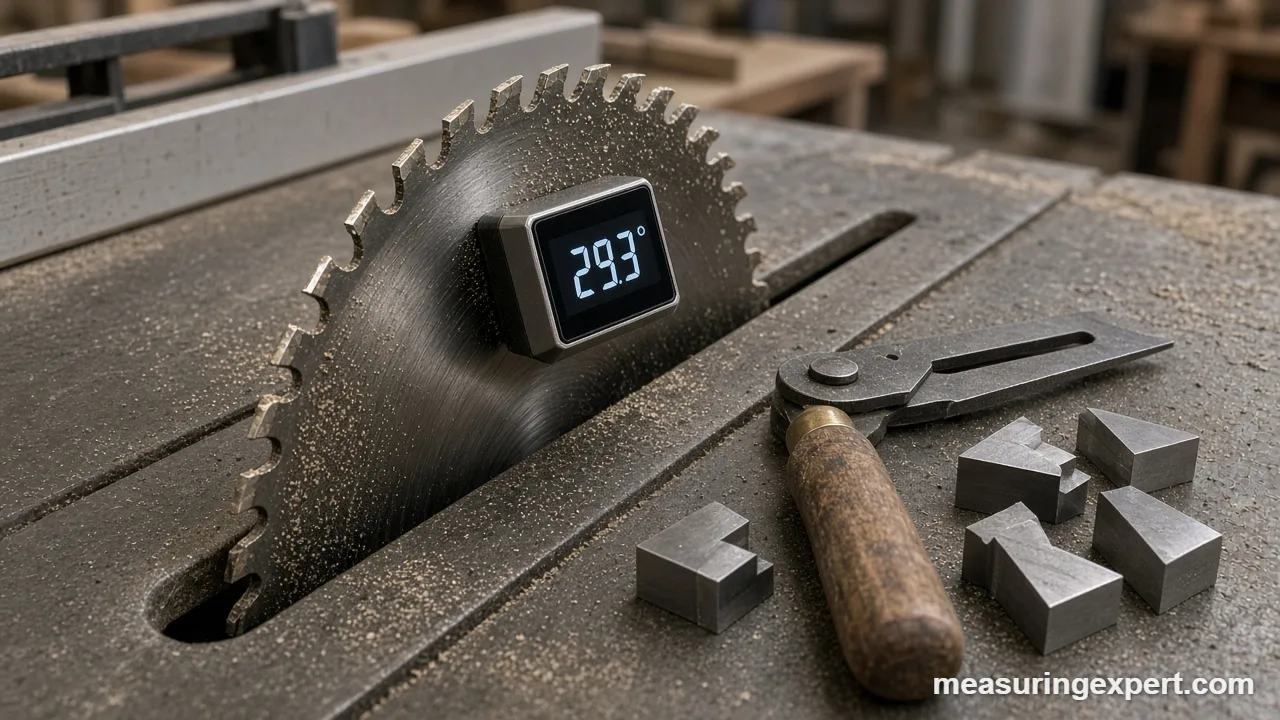
The best angle gauge for saw and tool setup is the Wixey WR300 Type 2, because it zeroes on the saw table, clings to the blade and reads tilt to 0.1 degree. However, the right choice depends on the job: blade bevels, miter gauge angles, saw corners, or copying an existing bevel.
In short: get the Wixey WR300 Type 2 for blade bevels, the Johnson 1886-0000 if you want a cheaper digital box, and the INCRA Miter 1000SE when you want repeatable miter angles without measuring every time.
As an Amazon Associate, Measuring Expert earns from qualifying purchases. Our picks are based on research, specifications and owner feedback, not paid placement.
Best Overall
Best Budget

Best Pro
Quick Answer: Which Angle Gauge Fits Your Setup Job
- Table saw and miter saw blade bevels: Wixey WR300 Type 2, the classic digital bevel box with magnets.
- A digital gauge on a tighter budget: Johnson 1886-0000, with relative mode and an auto backlight.
- Reading a room corner for the miter saw: Lexivon LX-230 miter saw protractor, no battery needed.
- Repeatable miter gauge angles on the table saw: INCRA Miter 1000SE with 5 degree indexing teeth.
- Dead-square crosscuts only: Woodpeckers Exact 90, which has no protractor to drift.
- Fixed reference angles for jigs and grinders: WEN 10412 angle block set.
- Copying an odd bevel to the saw: Johnson B75 sliding T-bevel.
On This Page
- Side-by-side table
- The 7 picks, reviewed
- How we chose
- Setup gauge types
- How to set a blade bevel
- Sharpening and grinding angles
- Specs explained
- Angle converter
- Do and don’t
- Honest limits
- FAQ
- Bottom line
Best Angle Gauge Picks Side by Side
First, match your setup task to the Best For column. After that, jump to the review for the details and the trade-offs.
| # | Product | Best For | Standout Feature | Amazon |
|---|---|---|---|---|
| 1 | Wixey WR300 Type 2 | Table saw and miter saw blade bevels | 0.1 degree resolution, published +/-0.1 degree repeatability | View |
| 2 | Johnson 1886-0000 | Budget digital bevel checks | Absolute and relative modes; auto-inverting display | View |
| 3 | Lexivon LX-230 | Turning a wall corner into a miter saw setting | Separate miter and single-cut scales | View |
| 4 | INCRA Miter 1000SE | Repeatable table saw miter angles | 41 indexed stops plus a 1/10 degree vernier | View |
| 5 | Woodpeckers Exact 90 | Square crosscuts every time | Head locked square to the bar; no protractor | View |
| 6 | WEN 10412 Angle Blocks | Fixed setup angles for jigs and grinders | 12 hardened steel blocks from 1/4 to 30 degrees | View |
| 7 | Johnson B75 T-Bevel | Copying and transferring bevels | Stainless blade with a locking nut | View |
The 7 Best Angle Gauge Picks for Saw Setup, Reviewed
Unlike a general angle finder roundup, this list is about setup. In other words, every tool here helps you put a blade, a fence or a jig at a known angle before you cut. For a wider view of every angle tool type, see our best angle measuring tool hub.
Best for Blade Bevels
1. Wixey WR300 Type 2 Digital Angle Gauge
Best for: woodworkers who set table saw, miter saw, jointer fence and drill press table angles.
In our view, the WR300 is the best angle gauge for most shops because it was built for exactly this job. First, you set it on the saw table and press zero. Next, you stick it to the blade body, and then you crank the bevel wheel until the screen shows your target. Because it reads relative to the table, the saw itself does not need to be level.
Also, Wixey publishes a full spec block, which is still rare in this category. For instance, it lists a range of plus or minus 180 degrees, 0.1 degree resolution, plus or minus 0.2 degree accuracy and plus or minus 0.1 degree repeatability. Repeatability matters most here, because you usually compare a blade to the table it was zeroed on. In addition, the Type 2 adds a backlight, which helps under a dim saw insert.
- Range: +/-180 degrees; resolution 0.1 degree
- Accuracy: +/-0.2 degree; repeatability +/-0.1 degree
- Size: 2.3 x 2.3 x 1.1 in (5.8 x 5.8 x 2.8 cm)
- Magnets hidden in the base; backlight; auto shut-off
- Power: one AAA battery
Pros
- Complete spec sheet from the maker
- Zero key works on any reference surface
- Small enough to sit between saw teeth
Cons
- No V-groove for pipe or round stock
- Also no dust or water rating published
- Reads degrees only
Skip it if: you need to measure the angle between two walls, because a cube only reads tilt.
Best Budget Digital
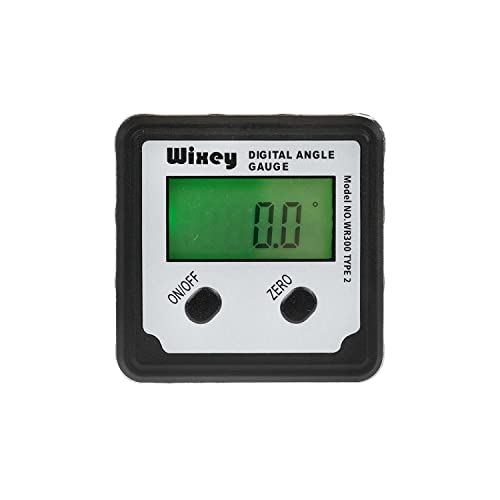
2. Johnson Level 1886-0000 Magnetic Digital Angle Locator
Best for: DIYers who want a digital bevel box for occasional saw setup and general leveling.
Overall, this two-button Johnson works like the Wixey. For example, you can take an absolute reading against gravity or switch to relative mode and zero it on the saw table. Then the display shows the blade angle relative to that table. Meanwhile, the screen flips automatically when you read it upside down under a blade.
For accuracy, Johnson lists plus or minus 0.1 degree at 0 and 90 degrees and plus or minus 0.2 degree elsewhere. That pattern suits saw work well, since 0 and 90 are the settings you check most often. However, Johnson’s range spec is a little unclear on its own page: the table says 4 x 90 degrees, so expect four 90 degree quadrants rather than a continuous 180.
- Accuracy: +/-0.1 degree at 0 and 90; +/-0.2 degree elsewhere
- Resolution: 0.1 degree; absolute and relative modes
- Magnetic base; automatic LCD backlight; inverting display
- Power: one AAA battery; works 32 to 122 F (0 to 50 C)
- One-year warranty; soft pouch included
Pros
- Tighter accuracy right at 0 and 90 degrees
- Relative mode for unlevel saws
- Also comes with a pouch for the tool bag
Cons
- No published repeatability figure
- Range shown in quadrants, not +/-180
- Only a one-year warranty
Skip it if: you already own a Wixey or Klein cube; the jump in features is small. For more magnetic cubes, compare our best magnetic angle finder roundup.
Best for Miter Saw Corners
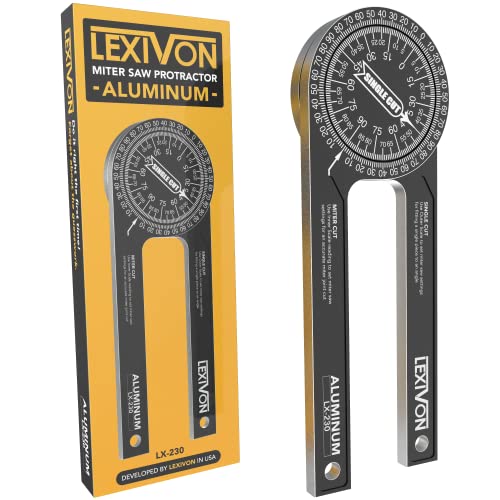
3. Lexivon LX-230 7 in Miter Saw Protractor
Best for: trim carpenters who measure an inside or outside corner and want the miter saw number directly.
In simple terms, a miter saw protractor is a two-arm angle gauge with special scales. Instead of reading the corner and doing math, you read the saw setting. Specifically, Lexivon says the LX-230 carries two sets of scales, one for miter cuts and one for single straight cuts. As a result, you skip the “divide by two and subtract from 90” step that causes so many trim gaps.
Also, the arms are CNC-machined anodized aluminum, 1/4 in (6.4 mm) thick, and a fine-friction joint holds the setting while you walk to the saw. However, there is no positive lock, so a bump can move it. Lexivon also includes crown molding and compound tables in its measuring guide.
- Material: CNC-machined anodized aluminum, 1/4 in thick
- Scales: separate miter-cut and single-cut scales, laser engraved
- Fine-friction pivot; weight 0.4 lb (180 g)
- Laser-etched serial number; limited lifetime warranty
Pros
- Reads the saw setting with no math
- No battery to die mid-job
- Also rigid enough to stay flat on a wall
Cons
- No locking knob, only friction
- Analog scale, so no tenths of a degree
- Short arms on wavy drywall corners
Skip it if: you set saw blade bevels rather than read room corners; a digital cube is better for that.
Best Pro Miter Gauge
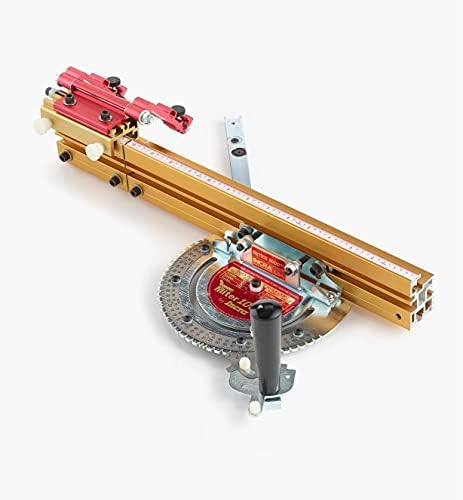
4. INCRA Miter 1000SE Miter Gauge
Best for: furniture makers and box builders who cut many miters on a table saw and want the same angle every time.
Typically, a stock miter gauge relies on a cast scale and a loose bar, so it rarely repeats. In contrast, the INCRA locks into steel teeth. For example, INCRA lists 41 indexed stops at 5 degree steps over a 180 degree range, plus extra stops at 22.5 and 67.5 degrees for octagons and similar work. Between the teeth, a stainless vernier cursor sets angles to 1/10 degree.
In addition, the GlideLOCK bar uses six expansion disks to remove side play. It fits 3/4 in by 3/8 in slots, with or without a T-slot, and handles actual slot widths of 0.740 to 0.765 in (18.8 to 19.4 mm). So once you check the 90 degree stop with a square, every other stop follows the same reference. Besides that, the telescoping fence runs from 18 to 31 in, and a flip stop sets repeat lengths.
- Indexing: 41 stops at 5 degrees over 180 degrees, plus 22.5 and 67.5
- Vernier: 1/10 degree between stops
- Bar: six expansion disks; fits 0.740 to 0.765 in slots
- Fence: telescoping, 18 to 31 in, with flip shop stop
- Made in the USA
Pros
- Positive stops repeat without measuring
- Vernier reaches odd angles too
- Also removes miter bar slop
Cons
- Costs far more than a stock gauge
- Long fence can be awkward on small saws
- Still needs an initial square check
Skip it if: you cut miters mostly on a miter saw; then a bevel gauge and good saw calibration matter more.
Best for Square Crosscuts
5. Woodpeckers Exact 90 Miter Gauge
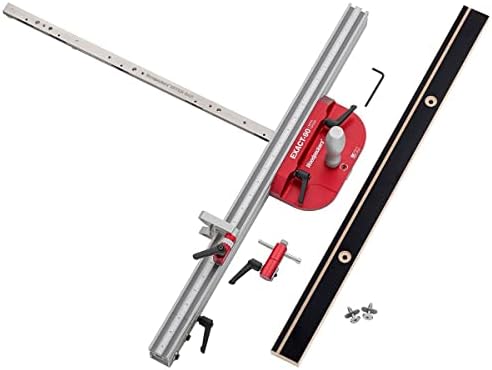
Best for: cabinet makers who crosscut at 90 degrees all day and never want to re-check the gauge.
This is the opposite approach to the INCRA. For one thing, Woodpeckers says the billet aluminum head is locked square to the bar, with no protractor, pins or springs. Therefore, it cuts only 90 degrees, but there is nothing to knock out of adjustment. In addition, five nylon leaf springs push the bar against one slot wall, so it adapts to slots from 0.742 to 0.765 in wide.
Also, the bar is 25-1/2 in long, and Woodpeckers lists about 24 in of crosscut capacity on most 10 in table saws. Furthermore, a sliding extension carries the flip stop out to 45 in. In short, it is a fixed angle gauge built into a sled-like tool, which suits shops that already set bevels with a digital cube.
- Angle: 90 degrees only; head locked square to the bar
- Bar: 25-1/2 in, five nylon leaf springs, 0.742 to 0.765 in slots
- Crosscut capacity: about 24 in on most 10 in saws
- Flip stop reaches 45 in with the extension; made in Ohio
Pros
- Nothing to drift out of square
- Long capacity for cabinet parts
- Also tool-free fence and stop
Cons
- Cuts 90 degrees only
- Premium price for one angle
- Needs a standard 3/8 x 3/4 in slot
Skip it if: you need miters; the INCRA covers 90 degrees and every other angle.
Best Setup Blocks
6. WEN 10412 12-Piece Steel Angle Gauge Block Set

Best for: anyone who sets jigs, sharpening rests and machine vises to fixed angles without a battery.
Simply put, angle blocks are physical references. Each WEN block is ground to one angle, and the set covers 1/4, 1/2, 1, 2, 3, 4, 5, 10, 15, 20, 25 and 30 degrees. Because you can stack blocks, you can also build other angles. For example, 30 plus 15 gives the 45 degrees that the set lacks, and 30 plus 5 plus 1/2 gives 35.5 degrees.
So how do they help at the saw? First, you set a block on the table and tilt the blade until it sits flat on the block face. Next, you confirm with a light check behind the blade. Similarly, a block under a grinder tool rest or a honing jig gives a repeatable bevel. However, WEN gives no tolerance figure, so treat them as shop-grade references, not inspection gauges.
- Angles: 1/4, 1/2, 1, 2, 3, 4, 5, 10, 15, 20, 25 and 30 degrees
- Material: hardened steel
- Hard-shell case to keep blocks clean
Pros
- No battery and nothing to calibrate
- Stack to build many angles
- Also useful for sharpening and metal setups
Cons
- No published tolerance
- No 45 degree block, so 45 needs a stack
- Steel blocks need oil to avoid rust
Skip it if: you only ever set 45 and 90 degrees; a good square and a cube cover those.
Best Sliding Bevel
7. Johnson Level B75 Structo-Cast T-Bevel

Best for: woodworkers who copy an existing angle, such as a chair splay or a stair stringer, and set the saw to match.
Unlike a cube, a sliding bevel gauge stores an angle instead of reading one. First, you loosen the nut, lay the handle and blade against the two faces, and lock it. Then you set the blade of the saw to match the bevel, or you mark the work directly. Because no number is involved, there is no rounding between the original and the copy.
As for build, Johnson lists a heavy-duty stainless steel blade that resists rust, a high-impact Structo-Cast handle and a locking nut. Also, the tool is simple enough that it rarely fails. However, it tells you nothing about the actual degree value, so pair it with a digital cube if you must write the angle down. For other bevel tools with scales, see our best protractor roundup.
- Blade: stainless steel, rust and corrosion resistant
- Handle: Structo-Cast high-impact grip
- Locking nut holds the blade angle
- One-year warranty (Johnson)
Pros
- Copies any angle with no reading error
- No battery and very low cost
- Also works on curved or odd shapes
Cons
- Gives no number by itself
- A loose nut lets the blade creep
Skip it if: you need to share or record the angle, since a T-bevel only holds it.
How We Chose the Best Angle Gauge for Setup
We did not test these tools by hand. Instead, we compared maker spec pages, manuals and owner feedback, and then picked one standout per setup job. First, each tool had to come from an established brand that publishes real specs. Next, we weighed accuracy, repeatability, resolution, how the tool references the saw, and how easily the setting can drift. Finally, we dropped unbranded clones, near-duplicates and tools already covered in our sibling guides.
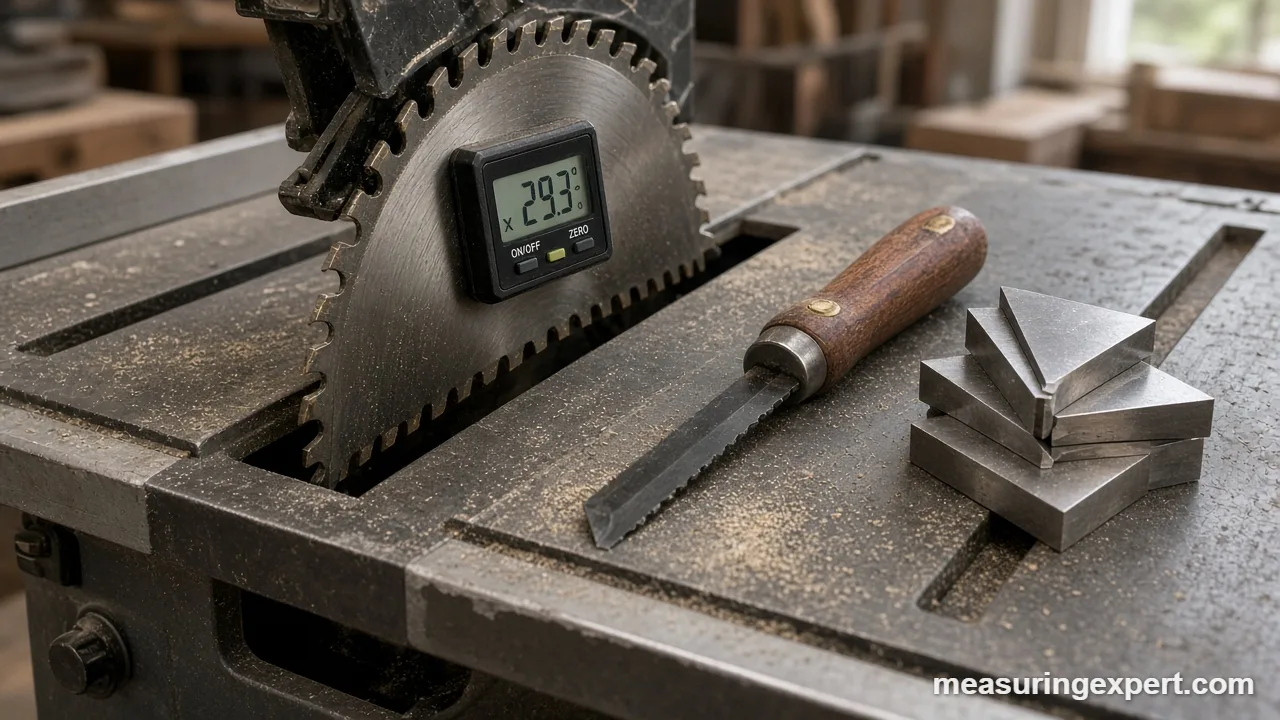
Sources included the Wixey angle gauge spec page, the INCRA Miter 1000SE page, and the Johnson Level, Woodpeckers, Lexivon and WEN product pages. For angle units, we used the NIST Guide to the SI, which defines 1 degree as pi/180 radian and 1 minute as 1/60 degree.
Best Angle Gauge Types for Setup, Compared
Basically, every setup tool does one of three things. It reads tilt, it reads the angle between two faces, or it holds a fixed angle. Therefore, pick the job first and the type follows. For a broader overview of the whole family, read our guide to tools for measuring angles.
| Type | What it does | Typical reading | Best setup job |
|---|---|---|---|
| Digital bevel box (cube) | Reads tilt vs gravity or a zeroed table | 0.1 degree display | Blade bevels, jointer fences, drill press tables |
| Miter saw protractor | Reads a corner and shows the saw setting | Analog scale | Trim and crown at the miter saw |
| Indexed miter gauge | Holds the work at a stop angle | 5 degree stops, 0.1 degree vernier | Repeat miters on the table saw |
| Fixed 90 gauge | Holds exactly one angle | No reading | Square crosscuts |
| Angle blocks | Physical reference angles | Fixed values, stackable | Jigs, grinder rests, honing guides |
| Sliding T-bevel | Copies and transfers an angle | No reading | Matching an existing bevel |
How to Set a Blade Bevel with the Best Angle Gauge
Of course, a digital cube is only as good as your routine. So follow these steps whenever you change the bevel.
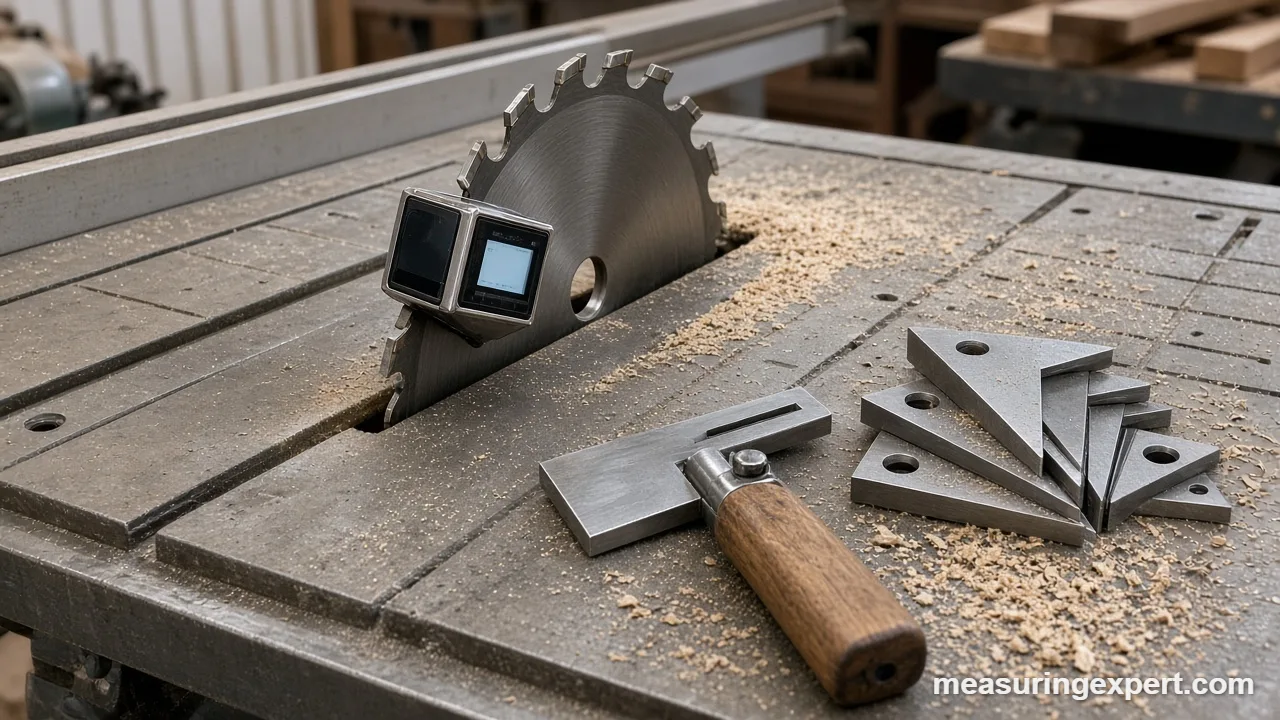
- Unplug the saw and raise the blade to full height.
- Wipe the table and the blade body clean of pitch and dust.
- Set the gauge on the table near the blade and press zero.
- Attach the gauge to the blade body, between the teeth, not on a tooth.
- Tilt the blade until the display shows your target angle.
- Lock the bevel, then read the gauge again, because locking can shift the blade.
- Finally, cut scrap, check it with a square or the gauge, and adjust if needed.
Also, repeat the zero step each time you move the saw. To check the gauge itself, see our guide to calibrating angle tools.
Using the Best Angle Gauge for Sharpening and Grinding
Of course, setup does not stop at the saw. For example, chisels and plane irons depend on a consistent bevel, and many woodworkers start with about 25 degrees for the main bevel and a slightly steeper micro-bevel. However, a honing guide only holds that angle if you set the blade projection the same way every time.
- Angle blocks: first, set a block on the stone and tilt the iron in its jig until the bevel lies flat on the block face.
- Digital cube: next, zero the cube on the stone, then set it on the back of the iron in the jig to read the angle.
- Grinder rests: similarly, a block or cube sets the tool rest so the wheel meets the bevel at the right angle.
- Drill bits: finally, a drill point gauge checks the included tip angle, often 118 degrees for general-purpose bits.
In short, a sharpening angle guide is just another setup gauge. Consistency matters more than the exact number, because each change in angle means extra grinding.
Specs That Matter in the Best Angle Gauge
Repeatability vs accuracy. First, accuracy is how close a reading is to the true angle. In contrast, repeatability is how closely the tool agrees with itself on the same surface. For saw setup you usually zero on the table, so repeatability often matters more. That is why Wixey’s plus or minus 0.1 degree repeatability is useful.
What small errors mean. Above all, angle errors grow with length. For example, a 1 degree bevel error opens a gap of about 0.061 in (1.55 mm) across a 3-1/2 in (89 mm) edge. Meanwhile, over a 24 in (610 mm) crosscut, a 0.2 degree error puts the far end about 0.084 in (2.1 mm) off square.
Errors stack in frames. Also, a four-piece frame has eight miter faces. So if each 45 degree cut is off by 0.5 degree, the frame ends up 4 degrees out in total, and the last joint shows it. That is why indexed stops and a careful square check pay off.
Reference. Generally, gravity tools read tilt, so they need a zero or relative mode on an unlevel saw. In contrast, two-arm protractors and T-bevels read between two faces, so the floor does not matter.
Units. At present, most gauges read decimal degrees. However, vernier tools may read in degrees and minutes, where 1 minute is 1/60 degree, so 5 minutes is about 0.083 degree. For example, a bevel protractor is the classic example of a vernier angle tool.
Power and build. Finally, check the battery type, auto shut-off and backlight on digital tools. Analog tools skip all of that, which is why many shops keep both.
Angle, Grade and Pitch Converter
Often, your gauge reads degrees, but a plan may give a roof pitch or a percent slope. So use this converter to switch between them.
For polygon frames, the saw setting is 180 divided by the number of sides. For example, a square frame needs 45 degrees, a hexagon 30, an octagon 22.5 and a 12-sided frame 15.
Do and Don’t for Accurate Saw Setup
Honest Limits of Even the Best Angle Gauge
Above all, no gauge fixes a worn saw. For instance, a blade that wobbles, a warped table insert or a loose trunnion will move after you set it. In addition, a cube reads the plate it sits on, so a dished blade gives a slightly different number at each spot. Likewise, analog scales read to about the nearest degree, and friction tools can move if you bump them. Finally, wood moves with humidity, so a joint cut to 0.1 degree may still open a little later.
Best Angle Gauge FAQ
What is the best angle gauge for a table saw?
For most shops, the Wixey WR300 Type 2 is the best angle gauge for a table saw because it zeroes on the table and holds to the blade with magnets.
How accurate is a digital angle gauge?
Good ones list about plus or minus 0.1 to 0.2 degree. For example, Wixey lists plus or minus 0.2 degree accuracy and plus or minus 0.1 degree repeatability.
Why should I zero the gauge on the saw table?
Because the saw is rarely perfectly level. Zeroing makes the gauge read the blade relative to the table, which is the angle that the cut actually gets.
Is a miter saw protractor the best angle gauge for trim?
For reading room corners, often yes. That is because a miter saw protractor reads the angle between two faces and shows the saw setting, while a digital cube only reads tilt.
Do I need an aftermarket miter gauge?
Not always. Still, an indexed gauge like the INCRA repeats angles and removes bar play, so it helps if you cut many miters on the table saw.
What are angle blocks used for?
They are fixed physical references. Also, you can stack them to build other angles for saw tilt, jigs, grinder rests and honing guides.
What does a sliding T-bevel do?
It copies an angle. In other words, you lock it to match an existing bevel and transfer that angle to the saw or the work.
How do I check if my angle gauge is still accurate?
Use a reversal test. First, read it on a flat surface, then turn it 180 degrees in the same spot; if the two readings differ, recalibrate.
What is the best angle gauge for a miter saw?
For blade bevel and miter detents, a digital cube like the Wixey works well. However, for reading the corner you are trimming, a miter saw protractor such as the Lexivon LX-230 is faster.
What miter angle do I set for an octagon?
Divide 180 by the number of sides. So an octagon needs 22.5 degrees, and a hexagon needs 30 degrees.
Bottom Line: Which Angle Gauge to Buy for Setup
For blade bevels, fences and drill press tables, the Wixey WR300 Type 2 is the best angle gauge for most woodworkers. That is because it zeroes on the table, clings to the blade and publishes its repeatability. However, add the INCRA Miter 1000SE if you cut many table saw miters, and keep a Johnson T-bevel for copying odd angles.
4 thoughts on “Best Angle Gauge for Saw and Tool Setup: 7 Picks for 2026”