

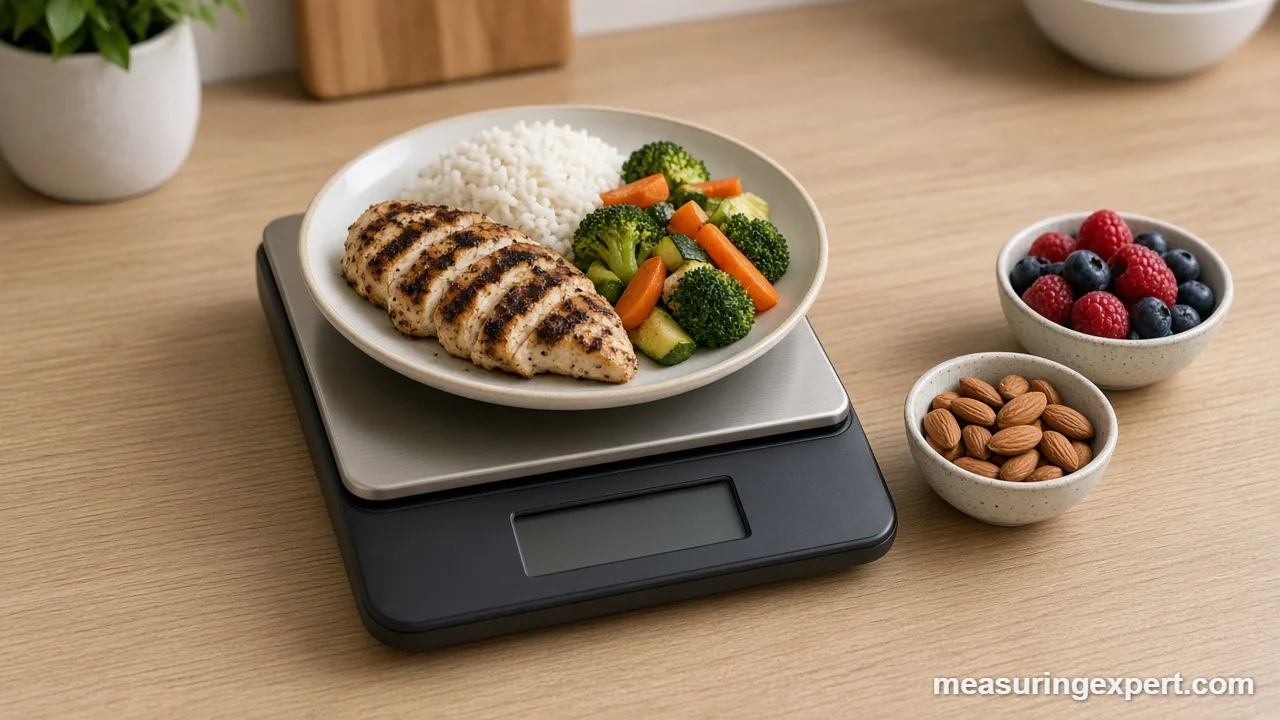
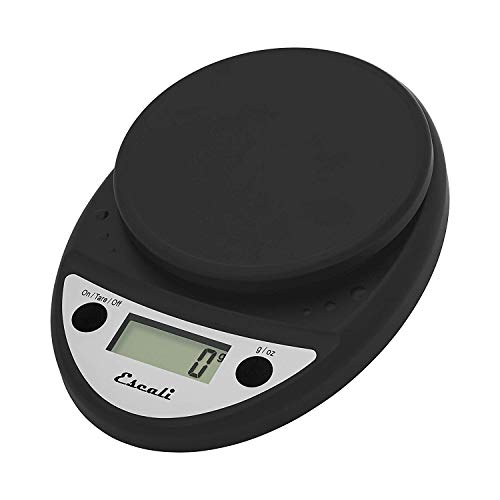
The best portion control scale for most kitchens is the Escali Primo, because it reads in 1 g steps up to 11 lb, tares in one press and shrugs off spills. Your choice comes down to resolution, capacity, whether the display stays visible under a plate, and whether you want nutrition data on the scale or in an app.
In short: get the Escali Primo for simple gram readings, the Etekcity ESN00 if you log food in an app, and the Amazon Basics scale if you want a low-cost starter.
As an Amazon Associate, Measuring Expert earns from qualifying purchases. Our picks are based on research, specifications and owner feedback, not paid placement.
Best Overall
Best Budget

Best Smart

Quick Answer: Best Portion Control Scale by Need
- Best overall: Escali Primo, 1 g steps, sealed buttons, 11 lb capacity.
- App logging: Etekcity ESN00, which sends weights to the VeSync app.
- No phone needed: Greater Goods Nutrition, with about 2,000 food codes built in.
- Low cost: Amazon Basics, with five units and a tare button.
- Wide plates: OXO 5 lb, with a pull-out display.
- Tiny servings: Etekcity EK5250, with 0.1 g steps under 1,000 g.
- Batch prep: Nicewell 22 lb, for weighing a full pot.
On This Page
- Comparison Table
- The 8 Picks, Reviewed
- How We Chose
- Scale Types Compared
- Specs That Matter
- Grams to Ounces Calculator
- How to Weigh a Portion
- Checking Accuracy at Home
- Do and Don’t
- Honest Limits
- FAQ
- Bottom Line
Best Portion Control Scale Comparison
| # | Product | Best For | Standout Feature | Link |
|---|---|---|---|---|
| 1 | Escali Primo Digital Food Scale | Overall | Sealed buttons, 1 g steps, lifetime limited warranty | View |
| 2 | Etekcity Smart Nutrition Scale (ESN00) | Smart Scale | VeSync app with up to 19 nutrients | View |
| 3 | Greater Goods Nutrition Food Scale (2,000 Codes) | Without an App | About 2,000 built-in food codes | View |
| 4 | Amazon Basics Digital Kitchen Scale | Budget | Five units including fl oz and mL | View |
| 5 | OXO Good Grips 5 lb Food Scale with Pull-Out Display | Plates | Pull-out display and optional backlight | View |
| 6 | Etekcity 0.1 g Food Scale with Bowl (EK5250) | Fine Resolution | 0.1 g resolution below 1,000 g | View |
| 7 | Greater Goods Digital Food Scale with Bowl | With a Bowl | Included bowl plus 4 units | View |
| 8 | Nicewell 22 lb Digital Food Scale | High Capacity | 22 lb capacity with 1 g graduation | View |
The 8 Best Portion Control Scale Picks, Reviewed
A portion scale tells you how much food is on the plate, so the number matches the serving size on a label or in an app. However, scales differ in resolution, capacity and nutrition features, so each pick covers a different need.
Best Overall
1. Escali Primo Digital Food Scale
Best for: Everyday portioning at home, from a breakfast bowl of oats to a sheet pan of roasted vegetables.
The Escali Primo is the plain, dependable choice, and that is why it leads the list. First, it reads in 1 g or 0.1 oz steps up to 11 lb (about 5 kg), which covers almost every plate and mixing bowl in a home kitchen. Also, the buttons and the display are sealed, so a splash of sauce does not end the scale’s life. As a result, it is the best portion control scale for people who want accuracy without an app.
On the measurement side, the tare button zeros out a bowl or plate, so the display shows only the food. In addition, the scale switches between grams, ounces and pounds plus ounces. Because grams are finer than 0.1 oz steps (0.1 oz is about 2.83 g), we suggest you leave it in grams for small portions. Finally, it shuts off after 4 minutes, which gives you time to add several ingredients.
- Capacity: 11 lb (about 5 kg)
- Resolution: 1 g or 0.1 oz
- Units: g, oz and lb plus oz
- Sealed buttons and display; 2 AA batteries included
- Auto-off after 4 minutes; lifetime limited warranty from Escali
Pros
- Simple two-button layout
- Sealed against everyday spills
- Long warranty for the price class
Cons
- No backlight on the display
- No nutrition data or app link
- Large plates can shade the screen
Skip it if: you want calories and macros calculated for you; the Etekcity or Greater Goods nutrition models do that.
Best Smart Scale
2. Etekcity Smart Nutrition Scale (ESN00)
Best for: People who log meals in an app and want the weight sent to the phone instead of typed by hand.
The Etekcity ESN00 pairs with the free VeSync app. So when you place food on the platform and pick the item in the app, the app turns the weight into nutrition data. Etekcity says the app tracks up to 19 nutrients and draws on a Nutritionix database of about 1 million foods. You can also add your own foods and recipes.
As a scale, it reads in 1 g, 0.1 oz or 1 mL steps up to 5,000 g (11 lb). The mL mode assumes the density of water, so treat it as a guide for milk or oil. However, the main benefit is fewer typing errors. For example, a typed 15 g instead of 150 g is a tenfold logging mistake, and a scale that sends the number avoids it.
- Capacity: 5,000 g / 11 lb
- Resolution: 1 g, 0.1 oz or 1 mL
- Units: g, oz, lb:oz and mL
- Free VeSync app, up to 19 nutrients, Nutritionix food data
- 304 stainless steel platform, 9.2 x 6.3 in (235 x 160 mm); 3 AAA batteries
Pros
- Weight goes straight into the app log
- Large food database plus custom foods
- Works as a normal scale without the phone
Cons
- Nutrition features need a phone and an account
- The app adds steps for quick weighings
Skip it if: you never use your phone in the kitchen; a plain scale such as the Escali Primo is faster.
Best Without an App
3. Greater Goods Nutrition Food Scale (2,000 Codes)
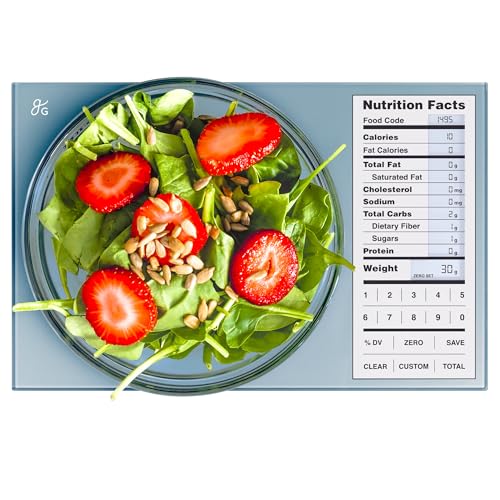
Best for: Nutrition tracking with numbers on the scale itself, with no phone and no account.
This Greater Goods model stores nutrition data for about 2,000 foods inside the scale. So you weigh the food, enter its code, and the display shows the matching nutrition values. Because nothing depends on Bluetooth, it suits people who prefer not to bring a phone near the cutting board.
For the weighing itself, it reads in 1 g or 0.1 oz steps up to 11 lb. In addition, the tare function lets you build a recipe in one bowl. Meanwhile, the label-style screen keeps the main values on one view.
- Capacity: 11 lb (about 5 kg)
- Resolution: 1 g or 0.1 oz
- About 2,000 preloaded food codes
- Shows calories, protein, carbs, fat and sodium
- Tare function; runs on 3 AAA batteries
Pros
- Nutrition data with no app or account
- Label-style screen is easy to scan
- Running totals for recipes
Cons
- Food codes take time to learn
- Built-in list is far smaller than an app database
Skip it if: you eat many packaged or restaurant foods; an app database such as the Etekcity’s covers more of them.
Best Budget
4. Amazon Basics Digital Kitchen Scale
Best for: A low-cost first scale for checking serving sizes against nutrition labels.
The Amazon Basics scale covers the basics for less money than most picks here. It weighs from a 2 g minimum up to about 5,000 g (11 lb). Also, it offers five units: pounds, ounces, grams, fluid ounces and milliliters.
Also, its tare button and wide LCD make quick checks easy. However, Amazon does not publish a resolution figure on the listing we read, so we cannot confirm 1 g steps across the full range. In short, it is a fine starter scale, but a precision user should look at the Escali or the Etekcity EK5250.
- Capacity: up to about 5,000 g (11 lb); 2 g minimum
- Units: lb, oz, g, fl oz and mL
- Tare button and wide LCD
- Stainless steel platform; 2 AAA batteries included
- Size: 8.3 x 7 x 1.3 in
Pros
- Low cost for a branded scale
- Batteries included
- Easy to wipe clean
Cons
- Resolution not stated by the maker
- No backlight
- Very light items under 2 g may not register
Skip it if: you weigh spices, supplements or other items under a few grams; the 0.1 g Etekcity EK5250 is better there.
Best for Plates
5. OXO Good Grips 5 lb Food Scale with Pull-Out Display
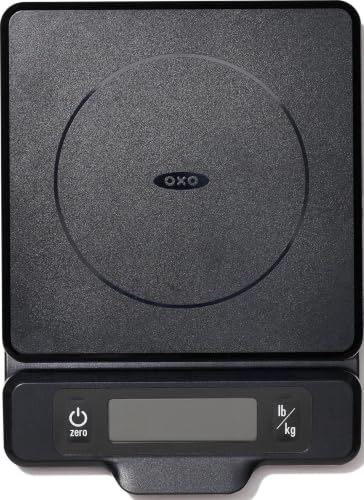
Best for: Weighing on a full dinner plate or a wide bowl that would hide a fixed display.
The OXO 5 lb scale solves a real portioning problem. When you put a dinner plate on a small scale, the rim often covers the screen. So OXO built a display that pulls out from the base, which keeps the number readable under large plates. In addition, an optional backlight helps under dim cabinet lights.
Moreover, it reads in 1 g and 1/8 oz steps (1/8 oz is about 3.54 g). However, the capacity is 5 lb (about 2.27 kg), which suits a plated meal but not a stockpot.
- Capacity: 5 lb (about 2.27 kg)
- Resolution: 1 g or 1/8 oz
- Pull-out display with optional backlight
- Removable platform for hand washing
- Capacity gauge; 4 AAA batteries included
Pros
- Display stays visible under wide plates
- Backlight for dim kitchens
- Removable platform
Cons
- Only 5 lb capacity
- Takes four AAA batteries
Skip it if: you batch-cook in heavy pots; the 22 lb Nicewell or an 11 lb model fits that job.
Best Fine Resolution
6. Etekcity 0.1 g Food Scale with Bowl (EK5250)

Best for: Small portions such as nuts, seeds, spices, coffee and powders, where 1 g steps are too coarse.
The EK5250 reads in 0.1 g steps for anything under 1,000 g, then switches to 1 g steps up to 5,000 g. As a result, it can show the difference between 7.4 g and 7.6 g of chia seeds, which a 1 g scale rounds to the same number. That makes it the best portion control scale here for very small servings.
It also comes with a detachable bowl that flips over the scale as a storage cover. Next, the backlit LCD shows low-battery and overload warnings.
- Capacity: 11 lb / 5 kg
- Resolution: 0.1 g below 1,000 g, 1 g from 1,000 to 5,000 g
- Units: oz, lb:oz, g, fl oz and mL, plus milk and water modes
- Detachable bowl that doubles as a cover
- Backlit LCD; auto-off after 2 minutes; 2 AAA batteries
Pros
- Fine 0.1 g readings for small servings
- Bowl keeps loose foods contained
- Backlit screen
Cons
- 2-minute auto-off can cut in during slow prep
- Bowl adds weight you must tare
Skip it if: you mostly weigh whole meals; a 1 g scale such as the Escali is simpler.
Best With a Bowl
7. Greater Goods Digital Food Scale with Bowl
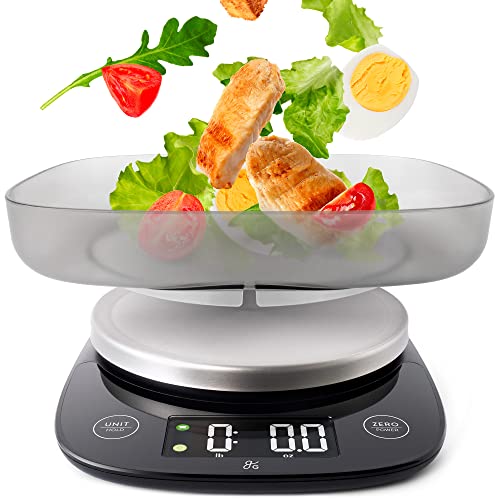
Best for: Weighing loose foods such as rice, cereal and chopped vegetables in a bowl that comes with the scale.
This second Greater Goods pick is a plain scale with a matching bowl. So you do not need to hunt for a container that fits the platform. First, tare the bowl. Next, pour in the food and read the net weight. Also, the bowl keeps rolling foods such as peas and berries off the counter.
In addition, it weighs up to 11 lb (5 kg) and switches between four units, including grams and ounces. Greater Goods also lists a stainless steel build. However, it has no nutrition codes, so pair it with a nutrition app or label if you track macros.
- Capacity: 11 lb (5 kg)
- Units: 4, including grams and ounces
- Tare function for the bowl or any container
- Stainless steel with an included bowl
Pros
- Bowl included, so no container hunt
- Simple controls
- Tare works with the bowl or any container
Cons
- No nutrition data
- Bowl takes cabinet space
Skip it if: you want the scale to do nutrition math; the Greater Goods 2,000-code model does.
Best High Capacity
8. Nicewell 22 lb Digital Food Scale
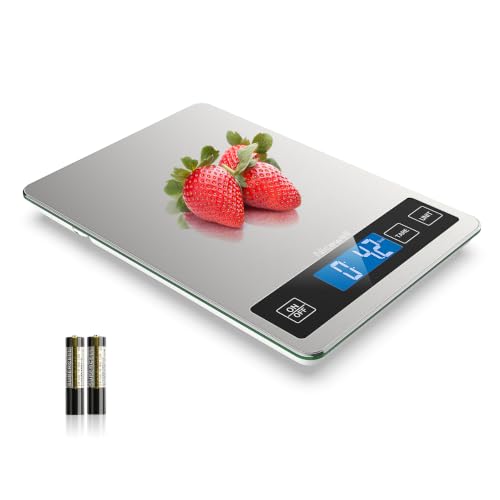
Best for: Batch meal prep where you weigh a full pot, then split it into equal containers.
Batch cooking breaks many 11 lb scales, because a filled Dutch oven can weigh more than 5 kg. The Nicewell handles up to 22 lb (about 10 kg), yet it still reads in 1 g or 0.1 oz steps. Therefore, you can weigh a whole pot of chili, divide the net weight by the number of containers, and fill each one to the same target.
Furthermore, it has a tare function, a stainless steel platform and a backlit LCD. However, a bigger platform also takes more counter space.
- Capacity: 22 lb (about 10 kg)
- Resolution: 1 g or 0.1 oz
- Tare function
- Stainless steel platform with backlit LCD
Pros
- Twice the capacity of most home scales
- Keeps 1 g steps at high capacity
- Backlit display
Cons
- Larger footprint
- Lesser-known brand than Escali or OXO
Skip it if: you only weigh single plates; a smaller 11 lb scale stores more easily.
How We Chose the Best Portion Control Scale Picks
We did not run hands-on tests. Instead, these picks are research-based. First, we read the maker’s product pages, manuals and spec listings for capacity, resolution, units and power. Next, we read owner feedback for common failures, such as drifting readings, dim screens and buttons that stop working after a spill. Finally, we removed near-duplicates and unbranded listings, so each pick covers a distinct need.
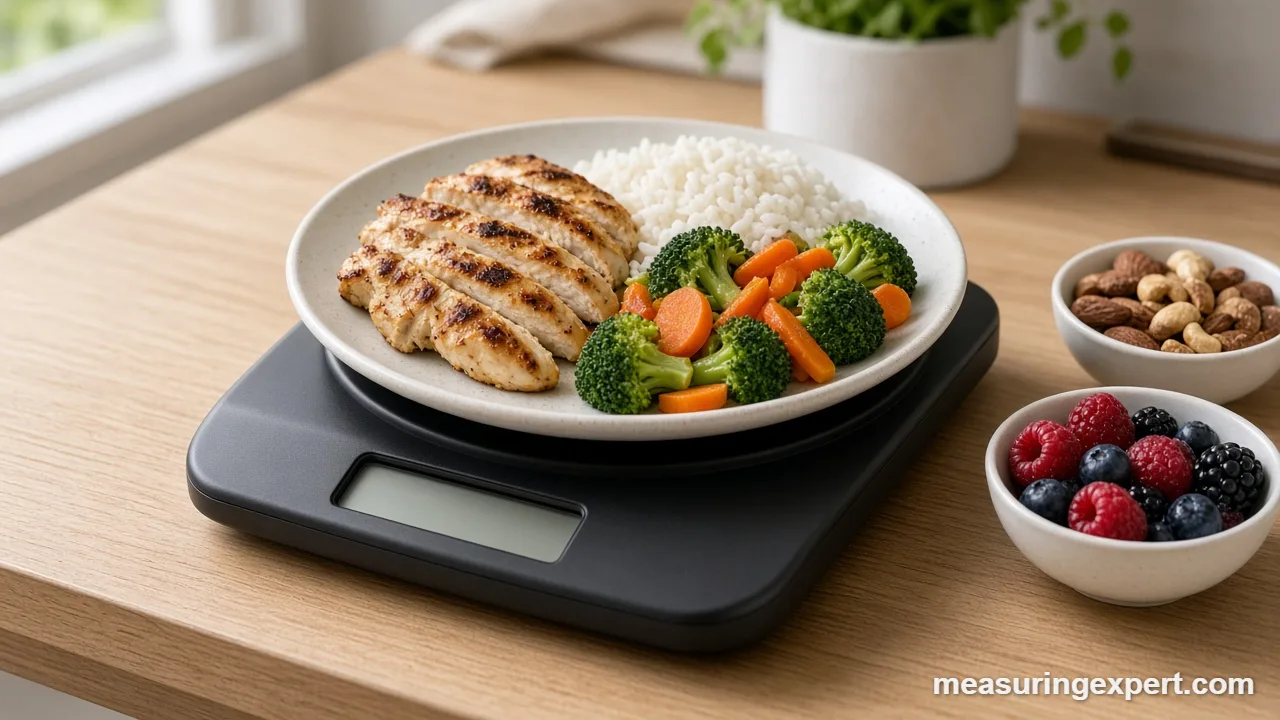
- Resolution: 1 g steps at minimum, with one 0.1 g option for small servings.
- Tare: a one-press tare that works with plates, bowls and containers.
- Readable display: large digits, a backlight or a pull-out screen earned extra credit.
- Nutrition support: one app scale and one scale with built-in food codes.
- Capacity range: from a 5 lb plate scale to a 22 lb batch-prep scale.
We also kept this list separate from our other scale guides. If you mostly bake, see our best baking scale picks. For an all-round model, our best kitchen scale guide covers more general options. And for restaurant portioning, our commercial kitchen scale roundup covers NSF and legal-for-trade models.
Smart, Code-Based or Plain: Picking the Best Portion Control Scale Type
In general, portion scales fall into three groups. The weighing hardware is often similar, so the real difference is where the nutrition math happens.
| Type | Where nutrition data comes from | Good for | Trade-off |
|---|---|---|---|
| Smart (app) scale | Phone app and online food database | Daily logging with fewer typing errors | Needs a phone, an account and Bluetooth |
| Code-based nutrition scale | Food codes stored in the scale | Tracking without a phone | Smaller food list; codes take time to learn |
| Plain digital scale | Labels, books or any app you already use | Fast weighing and low cost | You do the math or the typing yourself |
For most people, a plain scale is enough, because the label already lists the serving size in grams. However, if you track several meals a day, an app scale can save time.
Specs That Matter on the Best Portion Control Scale
Product pages list many numbers, but only a few of them affect a portion reading. Here is what each one means in practice.
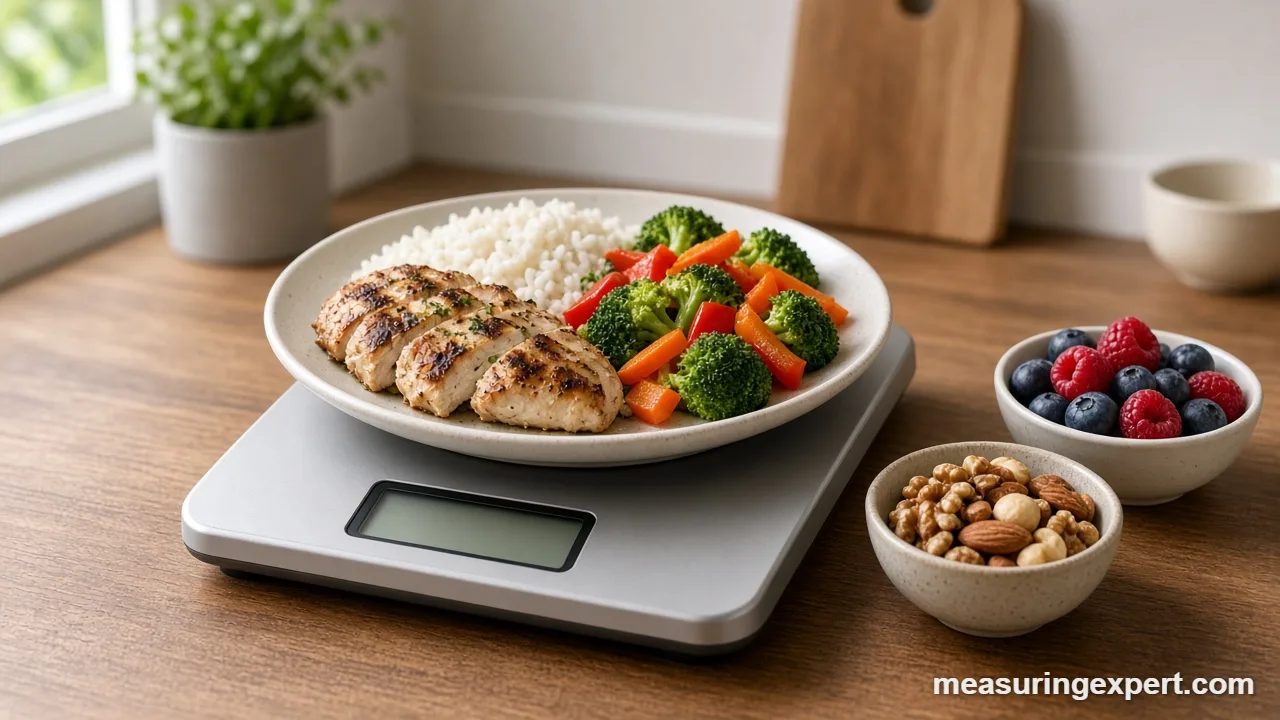
Resolution and Capacity
Resolution is the smallest step the display shows. For example, a 1 g scale shows 150 g, then 151 g. A 0.1 g scale shows 150.0 g, then 150.1 g. Thus, for a meal, 1 g is plenty. For a 7 g serving of seeds, however, 1 g is about 14 percent of the portion, so a 0.1 g scale gives a truer reading. Note that resolution is not the same as accuracy: a scale can show 0.1 g steps and still read a gram high.
Next, capacity is the most the scale can weigh, including the container. An 11 lb scale holds about 4,990 g, so a heavy ceramic bowl uses a real share of a small scale’s range. In addition, many scales have a minimum weight; the Amazon Basics lists 2 g.
Units, Tare and Display
Grams give the finest steps on most home scales. By contrast, an ounce step of 0.1 oz equals about 2.83 g, and a 1/8 oz step equals about 3.54 g. The ounce here is the avoirdupois ounce, exactly 28.349523125 g. Volume modes such as mL and fl oz assume the density of water, so they are close for water, milk and broth but not for oil, honey or flour. For more on this, see our guide to converting ounces to grams for cooking.
Meanwhile, tare stores the current load as zero, and a good one responds in one press. Also, check the display position: a fixed screen can hide under a dinner plate, which is why the OXO uses a pull-out display.
Power and Build
Most portion scales run on AA or AAA batteries, and weak batteries are a common cause of drifting numbers. Meanwhile, sealed buttons, such as those on the Escali Primo, protect the electronics from splashes.
Grams to Ounces Calculator
Nutrition labels in the US often list servings in both grams and ounces, while many recipes use only one. Use this converter to switch between grams, ounces, pounds and kilograms. It uses the exact definition of 1 oz = 28.349523125 g.
For quick math in your head, 30 g is about 1 oz and 100 g is about 3.5 oz. NIST lists 28.35 g per ounce in its approximate conversion table, which is close enough for kitchen use.
How to Weigh a Portion With Tare
In fact, weighing a portion takes less than a minute once you have a routine. Also, these steps work with every scale on this list.
- Set up on a level surface. Place the scale on a firm, flat counter, away from the stove and drafts. Then turn it on with nothing on the platform and wait for 0 g.
- Choose grams. Switch the unit to grams. Gram steps are finer than 0.1 oz steps, and most nutrition labels list serving sizes in grams.
- Add the container and tare. Place your plate or bowl in the center of the platform and press tare. The display should return to 0 g.
- Add the food slowly. Spoon in the food until the display reaches the serving size on the label or in your app. Add small amounts near the end, because many scales update with a short delay.
- Tare between ingredients. For a mixed dish, press tare again before each new ingredient. As a result, each reading shows only the item you just added.
- Record the weight. Write down or log the final number before you lift the plate. Otherwise, the scale may switch off or show a negative weight when you remove the container.
For a full dish, weigh the finished pot, then divide. For example, 2,400 g of soup split six ways gives 400 g per portion.
Checking Accuracy at Home
You do not need lab weights to spot a scale that has drifted. Instead, use coins with published weights. The US Mint lists the nickel at 5.00 g and the quarter at 5.67 g in its coin specifications. Worn coins can be slightly lighter, so use several and compare the total.
- Place the scale on a level, hard surface and let it settle at 0 g.
- Put 10 nickels on the platform. They should read close to 50 g.
- Remove them, check that the display returns to 0 g, and repeat twice.
- If the readings wander by more than 1 to 2 g, replace the batteries and test again.
Most home scales have no user calibration, so a scale that still reads wrong after new batteries is due for replacement.
Do and Don’t
For more on weighing technique, our guide on measuring ingredients accurately explains why weight beats scooping.
Honest Limits of Kitchen Food Scales
Above all, a food scale measures weight, not nutrition. The nutrition numbers come from a database or a label, and those are averages. For instance, two apples of the same weight can differ in sugar content. So treat calories and macros from any scale or app as close estimates, not exact values.
In addition, home food scales are not legal-for-trade instruments, so they are not certified for selling food by weight. Finally, readings near the minimum weight are the least reliable.
Best Portion Control Scale FAQ
What is the best portion control scale for most people?
For most kitchens, the Escali Primo is the best portion control scale, because it reads in 1 g steps up to 11 lb, has sealed buttons and is simple to use. If you log food in an app, choose the Etekcity ESN00 instead.
What resolution should the best portion control scale have?
Look for 1 g steps for meals and 0.1 g steps for small servings such as spices, seeds or coffee. A scale that reads only in 0.1 oz steps rounds to about 2.83 g, so grams give finer control.
Does the best portion control scale need an app?
No. An app scale saves typing, and the Etekcity ESN00 links to the VeSync app. However, a plain scale plus the nutrition label works well, and the Greater Goods code scale shows nutrition data without a phone.
How does the tare button work?
Tare stores the current weight as zero. So you place an empty bowl, press tare, and the display reads 0 g. Then only the food you add shows on the screen. You can press tare again between ingredients.
How accurate are kitchen food scales?
Most home food scales read in 1 g steps, and readings can drift by a gram or two. Therefore, check yours with a known weight, such as a US nickel at 5.00 g, and keep the scale on a flat, hard surface.
Should I weigh food in grams or ounces?
Grams are usually better. A gram is about 0.035 oz, so gram readings are finer than 0.1 oz steps. Also, many nutrition labels and food databases list serving sizes in grams.
Is the best portion control scale also good for baking?
Yes. Any of these scales can weigh flour and sugar for home baking. However, if you bake large batches, a dedicated baking scale with higher capacity and fine resolution may suit you better.
How many grams are in an ounce?
One avoirdupois ounce is exactly 28.349523125 g, so 28.35 g is a good working value. One pound is exactly 453.59237 g, and 1 kg is about 2.2046 lb.
Why does my scale show a different weight each time?
Common causes are an uneven counter, weak batteries, a draft, or food touching the edge of the counter. In addition, very light items can sit below the minimum weight. Move the scale to a firm, level surface and replace the batteries.
Should I weigh food raw or cooked?
Weigh food in the same state as the nutrition entry you use. Cooking changes water content, so a raw entry and a cooked entry give different values per gram. Pick one method and use it every time.
Bottom Line: The Best Portion Control Scale for Most Kitchens
For most people, the Escali Primo is the best portion control scale, because it gives clean 1 g readings, a quick tare and sealed controls at a modest cost. However, if you log meals in an app, the Etekcity ESN00 removes the typing step. Meanwhile, the Etekcity EK5250 suits tiny servings, and the Nicewell suits weekly batch prep.