

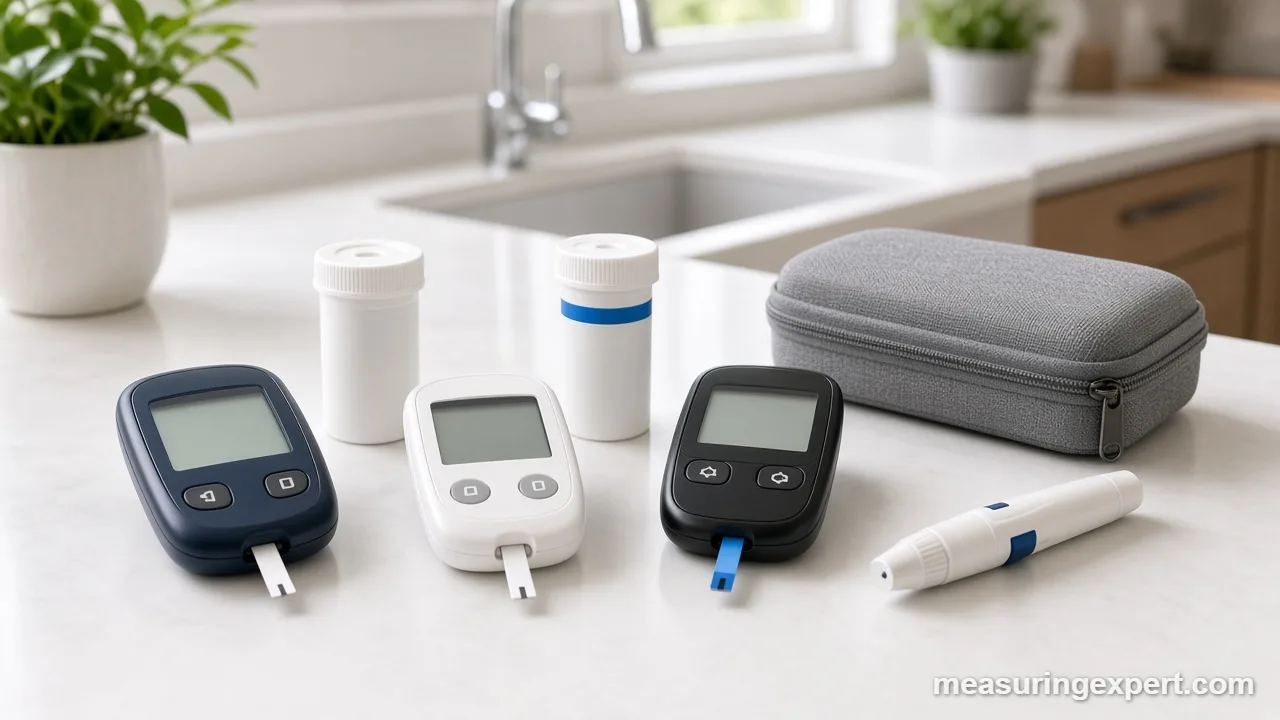
The best glucose meter for most people is the Ascensia Contour Next Gen, a no-coding meter with a 20 to 600 mg/dL range, a color range light and an 800-result memory. Beyond that, the right pick depends on strip cost, screen size, sample size and whether you want an app.
In short: choose Contour Next Gen for all-round use, CareSens N on a budget and iHealth Gluco+ if your phone is your logbook.
As an Amazon Associate, Measuring Expert earns from qualifying purchases. Our picks are based on research, specifications and owner feedback, not paid placement.
Best Overall
Best Budget

Best Smart
Quick Answer: The Best Glucose Meter by Need
- Best overall: Contour Next Gen, thanks to its smartLIGHT and 800-result log.
- On-screen guidance: OneTouch Verio Reflect, with pattern messages and a 0.4 microliter sample.
- Bluetooth kit: Accu-Chek Guide Me, which syncs to mySugr and ships with FastClix.
- Lowest running cost: CareSens N, a simple meter with a 5 second test.
- Pocket size: TRUE METRIX GO, which twists onto its own strip vial.
- Key rule: the meter is cheap, but the strips are what you keep buying.
On This Page
- The 9 Best Glucose Meter Picks, Reviewed
- How We Chose
- How a Glucose Meter Measures
- Specs That Matter
- Meter, Smart Meter or CGM?
- How to Test
- Control Checks and Care
- Do and Don’t
- Honest Limits
- FAQ
- Bottom Line
Best Glucose Meter Comparison Table
| # | Product | Best For | Standout Feature | Link |
|---|---|---|---|---|
| 1 | Contour Next Gen | Most users | smartLIGHT, 800-result memory | View |
| 2 | OneTouch Verio Reflect | On-screen coaching | 0.4 microliter sample | View |
| 3 | Accu-Chek Guide Me | App users who want a big kit | Under 4 second test, mySugr app | View |
| 4 | CareSens N | Budget testing | 5 second test | View |
| 5 | iHealth Gluco+ | Phone logging | Rechargeable, app sync | View |
| 6 | TRUE METRIX GO | Travel and pockets | Twists onto the strip vial | View |
| 7 | Metene TD-4116 | Frequent testers | 100 strips in kit | View |
| 8 | AUVON DS-W | First-time users | Fingertip, forearm or palm | View |
| 9 | Glucoracy G-425 | Backup meter | FDA-listed strips | View |
The 9 Best Glucose Meter Picks, Reviewed
To be clear, every best glucose meter pick below is a complete meter system, not a strip-only listing. Also, each brand sells its own matching strips, so you can keep testing after the starter box runs out. Some people call these devices sugar testers, while others say glucometer; either way, they mean the same handheld meter.
Best Overall
1. Ascensia Contour Next Gen
Best for: Most people who want a proven meter with a clear range light and an app that is optional, not required.
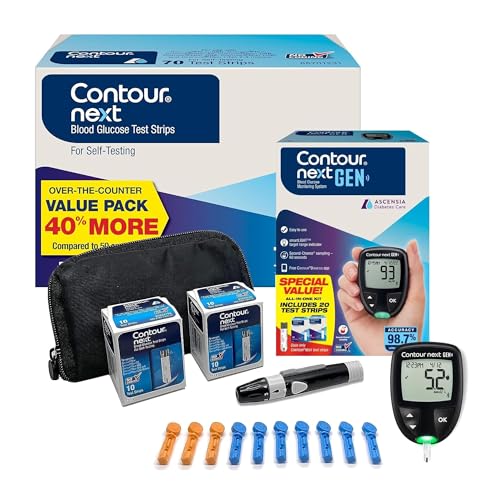
The Contour Next Gen is the best glucose meter for most homes because it gets the basics right. For one thing, it reads from 20 to 600 mg/dL and needs no coding. In addition, its smartLIGHT port glows green, yellow or red, so you can see at a glance whether a reading sits inside, above or below the range you set with your care team.
Its Second-Chance sampling also matters more than it sounds. If the first drop is too small, the meter beeps and lets you add more blood to the same strip. As a result, you waste fewer strips, and strips are the real running cost of any meter. Moreover, the logbook holds up to 800 results with 7, 14, 30 and 90 day averages, so you can review trends without a phone.
- Measuring range: 20 to 600 mg/dL (1.1 to 33.3 mmol/L)
- Memory: up to 800 results, with 7, 14, 30 and 90 day averages
- smartLIGHT range indicator
- Bluetooth link to the free Contour Diabetes app
- No coding; operating range 41 to 113 F (5 to 45 C)
Pros
- Color light makes results easy to read
- Second-Chance sampling also saves strips
- Large 800-result log on the meter itself
Cons
- Contour Next strips are not the cheapest per test
- However, the color cues still need ranges from your clinician
Skip it if: you want the lowest possible cost per strip and never look at trends.
Best for Guidance
2. OneTouch Verio Reflect

Best for: People who like short on-screen messages and a color range bar under each result.
Instead of a bare number, the Verio Reflect from LifeScan adds context. In particular, its ColorSure dynamic range indicator shows where a reading falls, and the Blood Sugar Mentor feature displays short guidance and encouragement messages when it spots a pattern of highs or lows. For example, it may point out that readings have been running low at a certain time of day.
To begin with, the meter needs just a 0.4 microliter sample, which is among the smaller drops in this list. Meanwhile, Bluetooth links it to the OneTouch Reveal app if you want charts. Besides that, it runs on two CR2032 coin cells and has a backlit screen for testing in dim rooms.
- Sample size: 0.4 microliter
- ColorSure dynamic range indicator
- Blood Sugar Mentor guidance messages
- Bluetooth to the OneTouch Reveal app; no coding
- Size: 3.97 x 1.69 x 0.61 in (about 10.1 x 4.3 x 1.5 cm)
Pros
- Small blood sample
- Helpful pattern messages on the meter
- Backlit display
Cons
- Also, it uses OneTouch Verio strips only
- Messages are general, so they never replace your care plan
Skip it if: you prefer a plain meter that only shows a number.
Best Bluetooth Kit
3. Accu-Chek Guide Me with FastClix

Best for: Buyers who want a major-brand meter, Bluetooth logging and a lancing device that loads lancet drums.
To start, the Guide Me is Roche’s streamlined Accu-Chek meter, and this kit pairs it with the FastClix lancing device, Guide test strips and control solution. According to Accu-Chek, the meter gives a result in less than 4 seconds and stores 720 diary records plus 30 control results. Also, you can touch the drop anywhere along the edge of the strip, which helps people with shaky hands.
Next, Bluetooth sends readings to the mySugr app, where they appear on a dashboard you can share. The FastClix device, by contrast, uses a drum of preloaded lancets, so you rotate to a fresh lancet instead of handling loose ones. As a result, the whole kit suits people who test several times a day and want fewer fiddly steps.
- Test time: less than 4 seconds
- Memory: 720 diary records and 30 control results
- Bluetooth link to the mySugr app
- Easy-fill strips dose anywhere along the edge
- FastClix lancing device with lancet drums
Pros
- Trusted Accu-Chek strip supply
- Edge-fill strips forgive a shaky hand
- Lancet drums mean less handling
Cons
- Accu-Chek does not list a measuring range on the product page
- Also, FastClix drums cost more than generic lancets
Skip it if: you want a color range light right on the meter.
Best Budget
4. CareSens N
Best for: Daily testers who want a simple, well-documented meter with an affordable strip supply.
CareSens N comes from i-SENS, a Korean diabetes company that has sold this meter family worldwide for years. Above all, its strength is plain value. In addition, the kit pairs the meter with a lancing device, strips, lancets and control solution, so you can start testing on day one.
On the measurement side, the manual lists a 0.5 microliter minimum sample, a 5 second test time and a 20 to 600 mg/dL range. Similarly, it supports alternate-site testing on the palm, forearm, thigh and calf. However, the manual itself warns that fingertip tests are better when glucose may be changing, such as after meals or exercise.
- Sample size: 0.5 microliter minimum
- Test time: 5 seconds
- Range: 20 to 600 mg/dL (1.1 to 33.3 mmol/L)
- Memory: 250 results with date and time
- Hematocrit range: 20 to 60 percent; no coding
Pros
- Good kit for the money
- Fast 5 second result
- Clear manual with full specs
Cons
- Smaller 250-result memory
- Besides, this model has no app connection
Skip it if: you want automatic phone logging.
Best Rechargeable
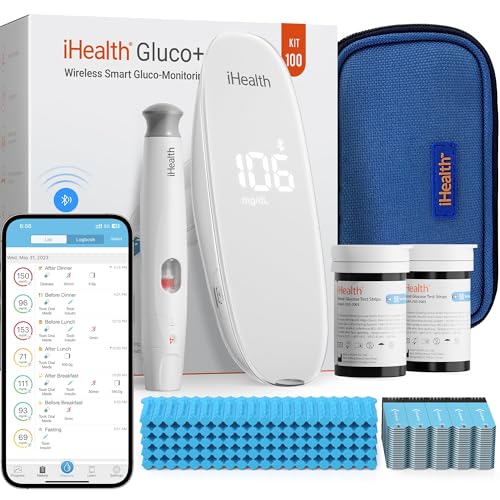
5. iHealth Gluco+ Wireless Smart Meter
Best for: Phone-first users who want every reading logged and shared without typing.
First of all, the iHealth Gluco+ sends each result to the free iGluco app. There, you can also tag readings as before or after meals, set reminders and share a log with a caregiver. Because the data lives in the app, you can skip paper logbooks altogether.
Second, the meter needs a 0.7 microliter drop and returns a reading in about 5 seconds. Also, it charges over USB instead of using coin cells. In addition, the lancing device in the kit has 9 depth settings, which helps people with tender or calloused fingertips find a comfortable setting.
- Sample size: 0.7 microliter
- Test time: about 5 seconds
- Rechargeable battery, USB charging
- Free iGluco app with reminders and sharing
- No coding; 9-depth lancing device
Pros
- Effortless digital log
- No coin batteries to replace
- Easy sharing with family
Cons
- Larger sample than some rivals
- Likewise, the history is most useful with the app
Skip it if: you do not use a smartphone.
Best Compact
6. TRUE METRIX GO Meter Starter Kit
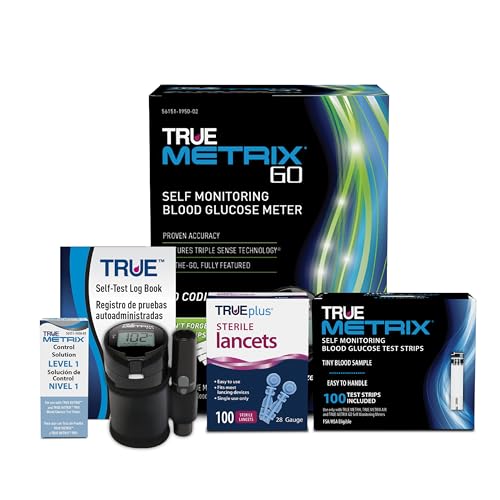
Best for: Travelers and anyone who wants the smallest possible kit in a bag or pocket.
Specifically, the TRUE METRIX GO from Trividia Health takes a clever approach to size. Instead of a separate meter case, the tiny meter twists onto the top of a strip vial, so the meter and strips travel as one piece.
Still, small does not mean basic. Trividia lists a 0.5 microliter sample, results in as fast as 4 seconds, a 20 to 600 mg/dL range and memory for 500 results with 7, 14 and 30 day averages. However, it is a fingertip-only meter, and it has no Bluetooth; downloads run through Trividia’s TRUEmanager software instead.
- Sample size: 0.5 microliter
- Test time: as fast as 4 seconds
- Range: 20 to 600 mg/dL (1.1 to 33.3 mmol/L)
- Memory: 500 results; 7, 14 and 30 day averages
- Hematocrit range: 20 to 70 percent; no coding
Pros
- Meter and strips travel as one unit
- Wide hematocrit range
- Also, it gives fast results
Cons
- Fingertip testing only
- Small screen for weak eyesight
- No Bluetooth
Skip it if: you need large numbers or alternate-site testing.
Best Large Kit
7. Metene TD-4116

Best for: Households that test often and want a big starter supply plus a large display.
For starters, Metene sells the TD-4116 as a complete kit: meter, 100 strips, 100 lancets, a lancing device and control solution. So you get a long run of testing in one box, which suits people told to check several times a day.
Meanwhile, the listing highlights no coding and a large display, both useful for older eyes. On the other hand, Metene publishes fewer technical specs than the big names. Therefore, read the included manual for the range and memory, and run a control test when you open each new vial.
- Kit: meter, 100 strips, 100 lancets, lancing device, control solution
- No coding
- Large display
Pros
- Big strip supply in one purchase
- Large, readable numbers
- Control solution included
Cons
- Fewer published specs than major brands
- Also, strips are sold mainly online
Skip it if: you want independent accuracy data before you buy.
Best Starter Kit
8. AUVON DS-W
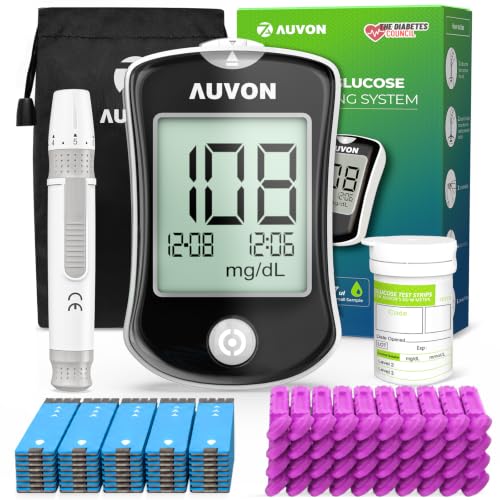
Best for: Beginners who want a no-fuss kit with everything in one case.
The AUVON DS-W is an FDA-listed over-the-counter system. According to its federal device record, it measures glucose in fresh capillary blood from the fingertip, forearm or palm. Also, it uses draw-in strips that pull blood into the strip by capillary action.
Above all, this one is about simplicity. Next, the kit bundles strips, 30 gauge lancets and a lancing device, and it needs no coding. As with any meter, though, it is for one person only and is not meant to diagnose diabetes.
- FDA product codes CGA and NBW; 510(k) K132663
- Test sites: fingertip, forearm or palm
- Draw-in DS-W test strips
- No coding
Pros
- Simple, complete starter kit
- Alternate-site option
- Thin 30 gauge lancets
Cons
- No app or Bluetooth
- In addition, brand strips are sold mostly online
Skip it if: you want trend charts or a color range light.
Best Backup Meter
9. Glucoracy G-425
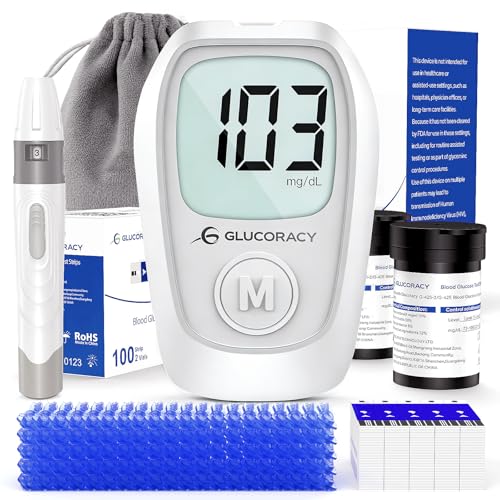
Best for: A second meter for a travel bag, office drawer or a caregiver’s home.
To begin, Glucoracy meters are made by Bioland Technology, and the G-425 strips appear in the FDA device database under the over-the-counter blood glucose code NBW (510(k) K202739). As a result, the brand has a paper trail that many unbranded kits lack.
Instead of carrying one meter between home and work, many people keep a low-cost spare. For that job, therefore, the G-425 kit works well. Even so, never mix strips between brands, and remember that two meters can differ slightly on the same drop.
- Maker: Bioland Technology Ltd.
- Strips listed under FDA code NBW, 510(k) K202739
Pros
- Low-cost spare
- FDA-listed strips
- Complete kit
Cons
- Limited published specs
- No app link
Skip it if: this will be your only meter and you want a major-brand system.
How We Chose the Best Glucose Meter Picks
We did not run lab tests on any meter. Instead, we compared published specifications, user manuals, FDA device records and owner feedback. First, we kept only complete meter kits from brands that sell matching strips in the US. Next, we checked each meter for range, sample size, test time, memory and coding. Finally, we looked for distinct use cases, so each pick earns its spot.
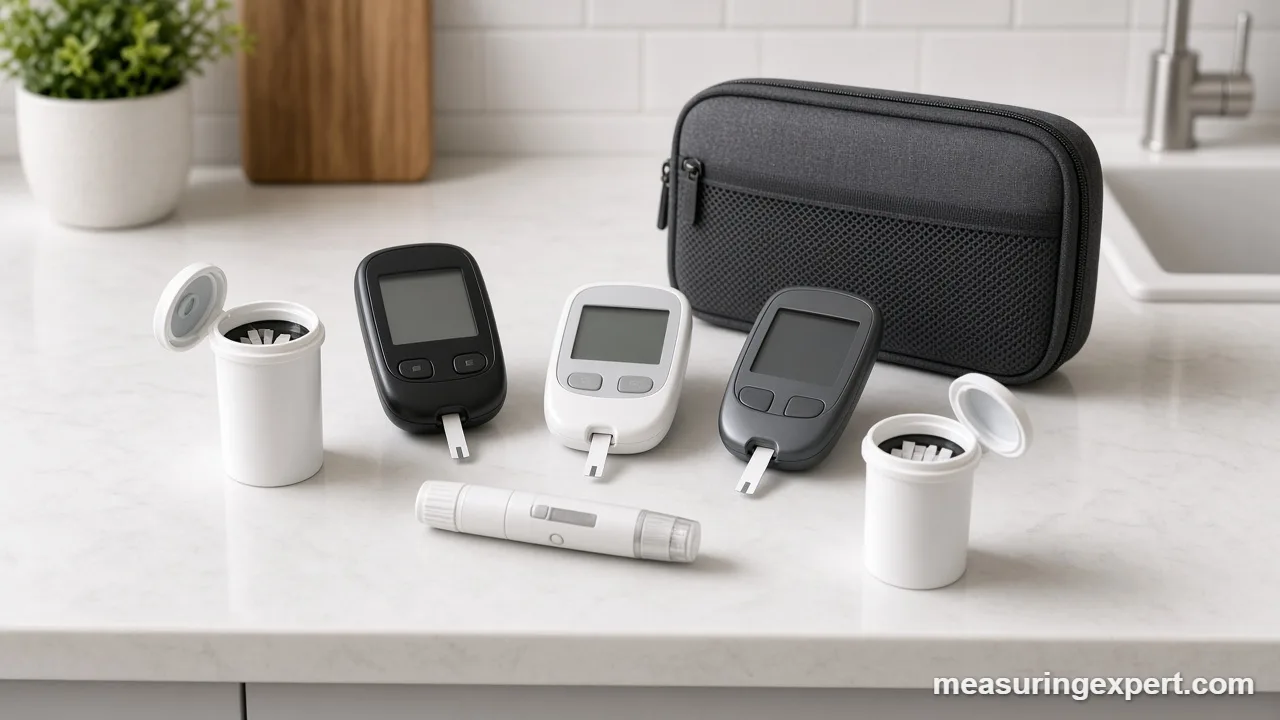
Our sources included the FDA guide to blood glucose monitoring devices, the Contour Next Gen user guide and the TRUE METRIX GO product page. If we could not confirm a spec, we left it out.
How the Best Glucose Meter Turns a Drop Into a Number
First, a blood glucose meter works chemically, not optically. The strip holds an enzyme, usually glucose oxidase or glucose dehydrogenase, that reacts with glucose in the drop. As a result, that reaction frees electrons, so the meter reads a tiny electric current. Then it converts the current into a glucose concentration using a factory calibration curve for that strip lot.
In other words, the result is a concentration: a mass of glucose per volume of blood. In the US it shows as milligrams per deciliter, while most other countries use millimoles per liter. If the deciliter is unfamiliar, our guide to what dL means explains it, and our overview of medical units of measurement covers the rest. Because glucose has a molar mass of 180.16 g/mol, the conversion factor is 18.016.
The table below is a unit conversion only. It is not a list of targets or normal values.
| mg/dL | mmol/L (conversion only) |
|---|---|
| 20 | 1.1 |
| 50 | 2.8 |
| 100 | 5.6 |
| 150 | 8.3 |
| 200 | 11.1 |
| 300 | 16.7 |
| 400 | 22.2 |
| 600 | 33.3 |
Specs That Matter When You Compare Meters
At first, spec sheets for glucose meters look alike, yet a few numbers really change daily life. So here is what each one means.
| Spec | What it means | What to look for |
|---|---|---|
| Accuracy standard | How close readings sit to a lab method | Meets ISO 15197:2013 or holds FDA clearance |
| Measuring range | Lowest and highest value it can show | 20 to 600 mg/dL is common |
| Sample size | Volume of blood the strip needs | 0.4 to 0.7 microliter in this list |
| Test time | Seconds until the number appears | About 4 to 5 seconds |
| Coding | Whether you enter a strip lot code | No coding avoids a common error |
| Memory and app | How results are stored and shared | Hundreds of results or app sync |
| Hematocrit range | Red-cell levels the strip tolerates | A wide range, such as 20 to 60 percent or more |
Above all, accuracy deserves a closer look. Under ISO 15197:2013, at least 95 percent of results must fall within 15 mg/dL of the reference when glucose is under 100 mg/dL, and within 15 percent at 100 mg/dL or more. So a meter showing 200 mg/dL may truly read anywhere from about 170 to 230 mg/dL. In fact, that spread is normal, and it is why one odd number deserves a retest rather than panic.
Meanwhile, strip cost is the hidden spec of the best glucose meter. For example, a person testing four times a day uses about 1,460 strips a year. Therefore, compare the ongoing strip price before you fall for a cheap meter. Insurance coverage can also favor certain brands, so check your plan first.
Meter, Smart Meter or CGM: Which Type Fits?
Home glucose tools come in three broad types, so know which one you want before you pick the best glucose meter for your routine.
| Type | How it measures | Good for | Trade-off |
|---|---|---|---|
| Standard meter | Fingerstick drop on a strip | Simple, low-cost spot checks | Manual logging |
| Smart meter | Fingerstick drop, results sent by Bluetooth | Automatic logs and sharing | Needs a phone and app |
| CGM | Sensor under the skin reads fluid around cells | Trends and alerts all day | Sensors must be replaced; readings lag blood slightly |
For this list, we stuck to fingerstick meters, because they are what most people mean by a glucose meter. However, many CGM users still keep one, since a fingerstick check is the usual backup when a sensor reading looks off.
How to Use a Glucose Meter Step by Step
- Wash and dry your hands. Wash with warm soapy water and dry fully. Otherwise, sugar on your skin from fruit or juice can raise the reading.
- Prepare the lancing device. Load a new lancet and pick a depth setting. Start shallow, then go deeper only if you cannot get a full drop.
- Insert a test strip. Take one strip from the vial, close the cap right away and slide the strip into the meter. Usually, the meter then turns on by itself.
- Lance the side of a fingertip. Use the side of the fingertip, not the pad, because the sides usually hurt less. Then gently massage from the base of the finger toward the tip.
- Touch the drop to the strip. Hold the strip edge to the drop and let it draw in the blood. However, do not smear blood on top of the strip.
- Read and record the result. Write down the number with the time and a note such as before breakfast, or let the app log it. Finally, discard the lancet in a sharps container.
In addition, timing matters as much as technique. Our guide on when to measure blood sugar explains common testing times, although your clinician sets your schedule.
Control Checks and Care for the Best Glucose Meter
You cannot calibrate a blood glucose meter at home, because the factory calibrates the strips by lot. Instead, you check the whole system with control solution, a liquid with a known glucose level. In addition, the FDA suggests a control test every time you open a new container of strips, after you drop the meter and whenever a result does not match how you feel.
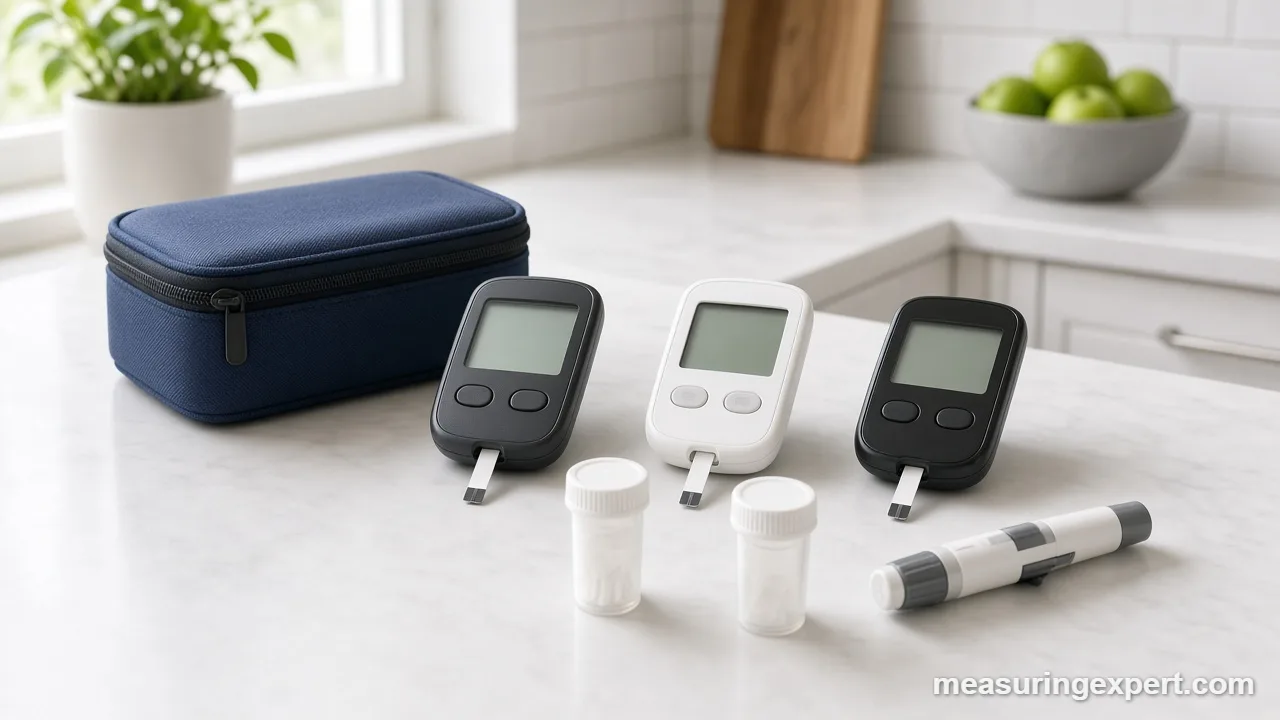
- First, store strips in their original vial with the cap closed.
- Keep the kit away from heat, cold and humidity, such as a car glove box.
- Also, check the expiry date on every vial.
- Next, replace coin batteries when the low-battery icon appears.
- Finally, wipe the meter with a slightly damp cloth, never a soaked one.
Do and Don’t
Do
- Wash and dry your hands before each test.
- Use fresh strips made for your exact meter.
- Also, run a control test with each new vial.
- Finally, bring your meter or log to medical appointments.
Don’t
- Share a meter or lancing device with anyone.
- Buy previously owned or gray-market strips.
- Similarly, avoid squeezing the fingertip hard to force out blood.
- Change treatment based on one odd reading without your care plan.
Honest Limits of Even the Best Glucose Meter
To start, a fingerstick meter shows one moment in time. It cannot show where glucose is heading, so a continuous glucose monitor (CGM) may suit people who need trend data. Also, a meter does not diagnose diabetes; that takes lab tests ordered by a clinician. Finally, alternate-site results from the forearm or palm can lag behind the fingertip when glucose is changing fast.
Meters also struggle at the extremes. For instance, readings below the low limit show as LO and readings above the high limit show as HI. In both cases, follow your care plan right away rather than retesting again and again.
Best Glucose Meter FAQ
What is the best glucose meter for most people?
For most people, the best glucose meter is a no-coding model with a wide range, a clear display and affordable strips. Our top pick is the Contour Next Gen because its color light and 800-result memory make readings easy to follow.
Is a glucose meter the same as a sugar tester or glucometer?
Yes. Glucose meter, glucometer, sugar tester and blood glucose monitor all describe the same kind of handheld device. In each case, it measures glucose in a small drop of capillary blood on a disposable test strip.
How accurate is a home glucose meter?
Meters built to ISO 15197:2013 must place 95 percent of results within 15 mg/dL of a lab reference below 100 mg/dL, and within 15 percent at 100 mg/dL or more. In short, a home reading is close, not exact.
How do I calibrate a glucose meter?
Home meters are factory calibrated, so you do not adjust them. Instead, you run a control solution test when you open a new vial, drop the meter or get a reading that does not match how you feel. Then the result should fall inside the range printed on the strip vial.
Why do two meters give different readings on the same drop?
Each meter and strip chemistry has its own small error band, so two meters can differ on the same drop. Also, hand residue, a small drop, cold strips or old strips can shift results.
How do I convert mg/dL to mmol/L?
Divide mg/dL by 18.016 to get mmol/L, or multiply mmol/L by 18.016 to get mg/dL. For example, 100 mg/dL is about 5.55 mmol/L.
Which is the best glucose meter for seniors?
Seniors usually do best with a large display, no coding and a forgiving sample window. The Contour Next Gen and the Metene TD-4116 both fit that description. Also, ask a pharmacist to set the date and time.
Does the best glucose meter work with any strips?
No. Every meter only reads strips made for its own meter family. In addition, the FDA warns against using previously owned strips or strips not authorized for sale in the US.
What is the best glucose meter for travel?
A small, light kit travels best. The TRUE METRIX GO twists onto its own strip vial, so the meter and strips stay together. Also, pack spare strips and keep them away from heat.
Do I still need a glucose meter if I have a CGM?
Often, yes. Many people keep a fingerstick meter to check a CGM reading that does not match their symptoms. Your care team can tell you when a fingerstick check is needed for your device.
Bottom Line: Our Best Glucose Meter Pick
For most people, the Ascensia Contour Next Gen is the best glucose meter to buy. Above all, it reads 20 to 600 mg/dL, needs no coding, stores 800 results and shows a color light for the range you set. Still, budget buyers should look at CareSens N, travelers will like the TRUE METRIX GO, and phone-first users can choose the iHealth Gluco+ or Accu-Chek Guide Me. Whatever you choose, use the matching strips and talk with your care team about targets.