

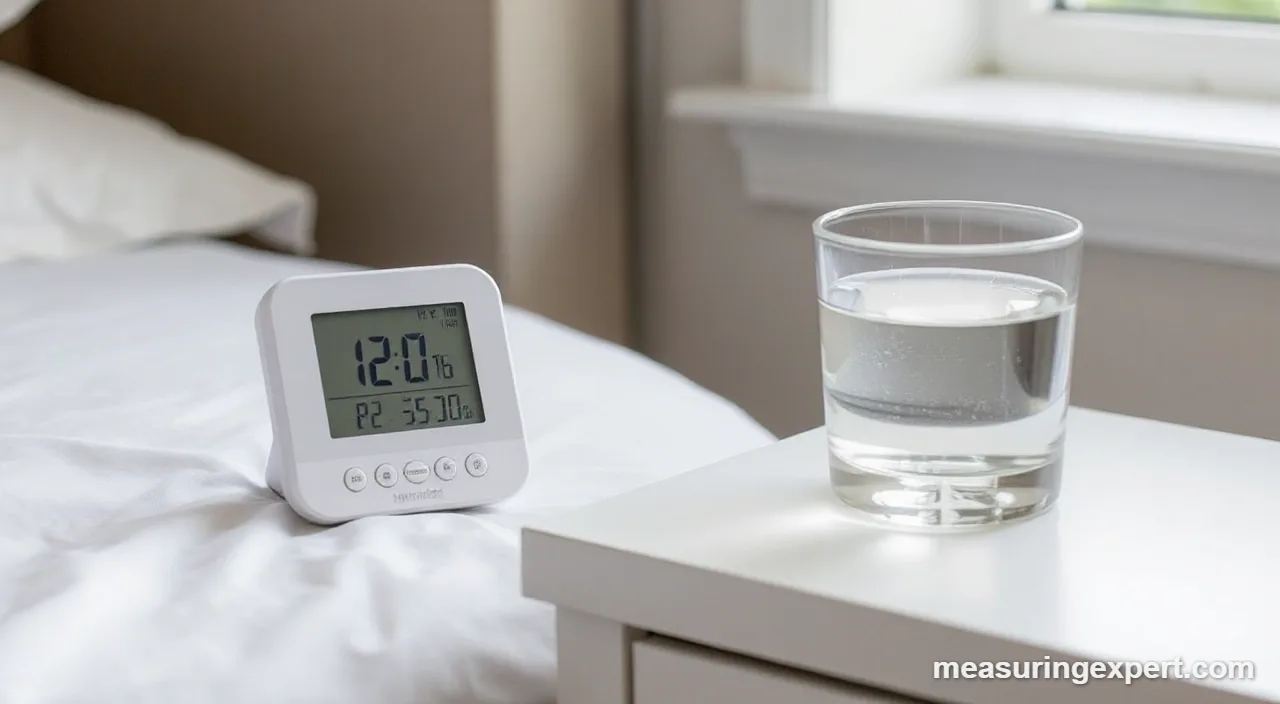
The bathroom mirror stays fogged for twenty minutes, the windows sweat on cold mornings and the basement smells like wet cardboard. All of those are humidity problems, and none of them can be solved without a number. A humidity meter, also called a hygrometer, gives you that number.
The best humidity meter for most homes is a small Bluetooth sensor with a screen, such as the Govee H5075, which shows temperature and relative humidity on the device and logs history in an app. Choose a Wi-Fi sensor like the Govee H5179 for remote alerts, a plain standalone meter like the TempPro TP50 if you do not want an app, and aim to keep indoor humidity between 30 and 50 percent.
In short: buy for where it will live, check it against a salt test once, and watch trends instead of single readings.
The U.S. Environmental Protection Agency says indoor relative humidity should be kept below 60 percent, ideally between 30 and 50 percent, in its moisture control guidance. That is the target most of the advice below is built around.
This page ranks 8 humidity meters, includes a dew point calculator and explains placement and checking. See also our guide to dew point and weather numbers, our humidor hygrometer picks and our moisture meter roundup for materials rather than air.
As an Amazon Associate we earn from qualifying purchases. Picks are based on manufacturer specs and buyer reports, not on lab testing, and we never type prices because they change.
Bluetooth sensor with app historyBest Wi-Fi SensorGovee WiFi Thermometer Hygrometer H5179
Wi-Fi sensor with app notificationsBest for Smart-Home UseSwitchBot Thermometer Hygrometer (Bluetooth)
Bluetooth meter that works with a hub
Key Takeaways
- Best overall: the Govee H5075 Bluetooth hygrometer with a screen.
- Best Wi-Fi alerts: the Govee H5179 for basements and second homes.
- Best simple meter: the TempPro TP50, no app needed.
- Aim for indoor relative humidity of about 30 to 50 percent, and below 60 percent.
- Check any meter once with a salt test, which should read about 75 percent.
- Keep sensors away from vents, windows, heaters and direct sun.
- Picks come from specs and buyer reports, not lab tests.
On this page
How We Chose These Picks
We shortlisted humidity meters from listings with strong ratings from many shoppers, comparing connection type, display, alerts and intended use as stated by each maker. Thin listings with unclear specs were skipped. This is research, not lab testing, and we did not measure the accuracy of these sensors.
We found eight distinct humidity meters that fit the topic, so this is an 8-pick list rather than a padded 10. Each brand appears at most twice and near-duplicates were dropped.
The 8 Best Humidity Meters Right Now
Prices change, so we do not list them; product cards show current offers. Industrial and weather-resistant sensors are covered on our separate industrial hygrometer page.
| # | Pick | Best for | Standout |
|---|---|---|---|
| 1 | Govee Indoor Hygrometer Thermometer H5075 | bedrooms, nurseries, closets and offices | Bluetooth sensor with app history |
| 2 | Govee WiFi Thermometer Hygrometer H5179 | remote checks on basements, attics and second homes | Wi-Fi sensor with app notifications |
| 3 | SwitchBot Thermometer Hygrometer (Bluetooth) | people who use SwitchBot hubs and routines | Bluetooth meter that works with a hub |
| 4 | SwitchBot Meter Pro Digital Hygrometer and Thermometer | people who want a bigger, brighter screen | Upgraded SwitchBot meter with a wireless link |
| 5 | TempPro TP50 Digital Hygrometer Indoor Thermometer | a no-app reading in any room | Standalone digital meter with no app |
| 6 | AcuRite 00613 Indoor Thermometer and Hygrometer | homes that want a familiar weather brand | Indoor thermometer with a humidity gauge |
| 7 | Springfield Color Track Humidity Meter and Indoor Thermometer | people who want a quick comfort cue | Color-coded humidity zones at a glance |
| 8 | TempPro TempAir Bluetooth Hygrometer Thermometer | plants, greenhouses and humid hobby rooms | Bluetooth monitoring for greenhouse-style spaces |
Buying from this list? Get it fast, and catch Black Friday deals, with Prime
#1Best Overall
Govee Indoor Hygrometer Thermometer H5075

Best for: bedrooms, nurseries, closets and offices
The Govee H5075 is a small Bluetooth sensor that shows temperature and humidity on its screen and logs readings to a phone app. For a first humidity meter, that mix of an on-device display and a history chart is the sweet spot.
Placed in a bedroom or closet, it lets you see how humidity swings over a night or a week. Its Bluetooth range is limited, so it fits one room at a time. A few of them around a house make a handy map.
- Type: Bluetooth hygrometer-thermometer, per the title
- Display: on-device screen with app history
- Brand: Govee
- Use: indoor, per the title
- Easy phone app
- Screen visible without the app
- Good for several rooms with several units
- Bluetooth range limits distance
- Phone needed for long-term history
Skip it if you want alerts anywhere in the world over Wi-Fi.
#2Best Wi-Fi Sensor
Govee WiFi Thermometer Hygrometer H5179
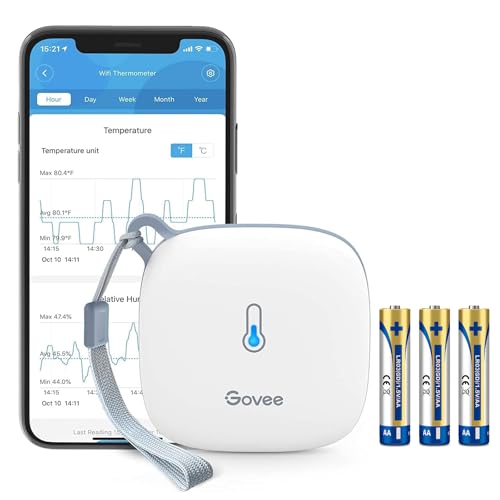
Best for: remote checks on basements, attics and second homes
Wi-Fi sensors report to the internet, so you can look in on a cabin or basement from your phone. The H5179 lists app notification alerts, so it can warn you when humidity crosses a limit you set.
It is a good match for the damp-prone corners of a house, like a basement or crawl space entrance, where you want a text before mold has a chance to settle in. Check whether the model needs a separate hub in the listing.
- Type: Wi-Fi thermometer-hygrometer, per the title
- Alerts: app notifications, per the title
- Brand: Govee
- Remote monitoring from a phone
- Remote alerts
- Good for hard-to-reach rooms
- Same brand ecosystem as the H5075
- Needs a Wi-Fi network and app
- May need setup of a hub or gateway
Skip it if you only want a simple screen without accounts.
#3Best for Smart-Home Use
SwitchBot Thermometer Hygrometer (Bluetooth)

Best for: people who use SwitchBot hubs and routines
The SwitchBot thermometer hygrometer is a small Bluetooth meter that fits into the SwitchBot smart-home line. With a hub, it can trigger routines like turning on a fan or humidifier when humidity climbs.
If you already use SwitchBot devices, the integration is the draw. If not, the simple screen and app still give you a clear picture of a room.
- Type: Bluetooth thermometer-hygrometer, per the title
- Brand: SwitchBot
- Indoor use, per the title
- Works with SwitchBot hub features
- Fits into smart-home routines
- Compact
- Clear indoor readings
- Automation needs a hub
- Less useful alone than a Wi-Fi sensor
Skip it if you do not use smart-home devices.
#4Best Larger Display
SwitchBot Meter Pro Digital Hygrometer and Thermometer

Best for: people who want a bigger, brighter screen
The Meter Pro is the premium member of the SwitchBot meter line and is listed as a wireless digital hygrometer and thermometer. It is meant to be read at a glance from across a room.
Pick it when readability matters, such as a nursery or a bedroom where you check humidity at night. As with other SwitchBot sensors, hub features unlock automations.
- Type: wireless digital hygrometer-thermometer, per the title
- Brand: SwitchBot
- Display: wireless meter with a screen
- Smart-home compatible
- Easy at-a-glance reading
- Smart-home links
- Reliable brand ecosystem
- Costs more than the basic SwitchBot meter
- Features need the app
Skip it if you only want the simplest display.
#5Best Simple Wall or Desk Meter
TempPro TP50 Digital Hygrometer Indoor Thermometer

Best for: a no-app reading in any room
The TP50 is a plain digital hygrometer and room thermometer. You place it on a shelf or a stand, glance at it and you are done, with no phone, no account and no hub.
Standalone meters are ideal for shared spaces or for people who prefer not to use apps. They give no history, so write down readings when you are chasing a problem.
- Type: digital hygrometer-thermometer, per the title
- Brand: TempPro
- Indoor use
- No app required
- No setup
- Easy to place anywhere
- Simple to read
- No history or alerts
- Basic feature set
Skip it if you want trend charts and alerts.
#6Best Known Basic Brand
AcuRite 00613 Indoor Thermometer and Hygrometer

Best for: homes that want a familiar weather brand
AcuRite is a long-time maker of home weather instruments. The 00613 is an indoor thermometer and hygrometer with a humidity gauge, in a form that sits on a table or hangs on a wall.
It is a straightforward pick for living rooms and kitchens. Treat its numbers as a guide, and check them against a salt test if the exact value matters.
- Type: indoor thermometer and hygrometer, per the title
- Brand: AcuRite
- Humidity gauge display
- Standalone design
- Trusted weather brand
- Easy to read
- No setup
- No logging
- Accuracy is basic
Skip it if you need remote alerts.
#7Best Color-Coded Meter
Springfield Color Track Humidity Meter and Indoor Thermometer
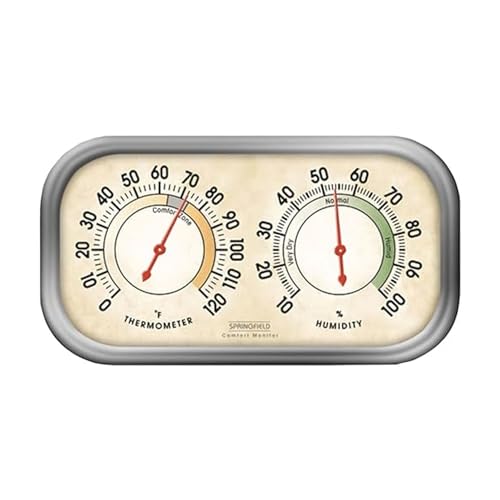
Best for: people who want a quick comfort cue
This Springfield meter uses a Color Track display to show whether humidity is in a comfortable zone, so you can read it without remembering any numbers.
Color cues help families with kids or guests who do not want to read a chart. Pair it with the guidance that most indoor spaces do well between about 30 and 50 percent relative humidity.
- Type: humidity meter and indoor thermometer, per the title
- Brand: Springfield
- Color-coded display, per the title
- Standalone design
- Instant visual cue
- Simple to place
- No app
- No history
- Zones are general, not tailored to your home
Skip it if you need numbers logged over time.
#8Best for Greenhouses and Grow Spaces
TempPro TempAir Bluetooth Hygrometer Thermometer

Best for: plants, greenhouses and humid hobby rooms
The TempAir is a Bluetooth hygrometer-thermometer that the title pitches for greenhouse-type use. Plants are sensitive to humidity swings, so logging readings is helpful.
Keep the sensor out of direct water spray and away from heaters, and check the listing for the exact conditions it is built for.
- Type: Bluetooth hygrometer-thermometer, per the title
- Brand: TempPro
- Intended for greenhouse-type use, per the title
- App connection
- Suited to plant spaces
- Bluetooth logging
- Compact
- Bluetooth range is short
- Check weather resistance in the listing
Skip it if you want a Wi-Fi sensor.
Relative Humidity vs Dew Point: Two Numbers, Two Meanings
Relative humidity (RH) tells you how full the air is compared with what it could hold at its current temperature. Dew point tells you the temperature at which water would begin to condense. They are often mixed up, but they answer different questions.
| Term | Meaning | Why it matters |
|---|---|---|
| Relative humidity | Percent of the moisture the air can hold | Comfort, mold risk, wood movement |
| Dew point | Temperature where condensation starts | Window sweat, cold pipes, basement walls |
| Absolute humidity | Grams of water per cubic meter of air | Used by engineers, rarely shown on home meters |
Warm air can hold more moisture, so RH drops when you heat a room and rises when you cool it, even with no water added. The calculator above converts a temperature and RH into a dew point.
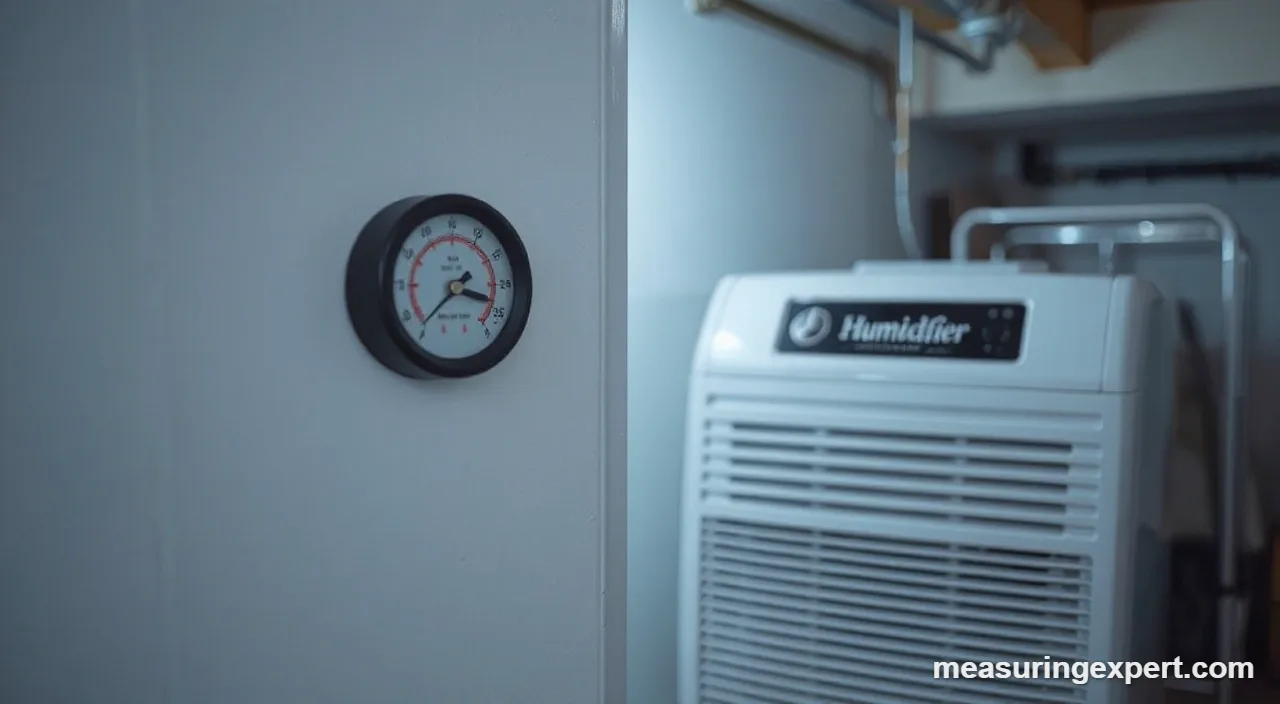
What Humidity Level Should You Aim For?
Indoor air is usually comfortable and low-risk between 30 and 50 percent RH, and EPA guidance puts the upper limit at 60 percent. Very dry air can irritate skin and static builds up, while damp air supports mold and dust mites.
| Room | Typical target | Notes |
|---|---|---|
| Living areas and bedrooms | 30 to 50 percent | Lower in winter to avoid window condensation |
| Bathrooms | Brief spikes are normal | Use the fan and check it drops |
| Basements | Below 60 percent | Use a dehumidifier if it stays higher |
| Musical instruments and wood storage | Often about 40 to 50 percent | Follow maker guidance |
Targets differ for special spaces such as greenhouses, cigar humidors and darkrooms. Check the guidance for your use.
Where to Put a Humidity Meter
A meter reads the air around it, so placement matters as much as the model. Put it at about chest height on an interior wall, away from vents, radiators, windows, bathrooms and direct sun. Avoid corners with no airflow and shelves close to kitchens.
- Choose the room you want to monitor, such as a bedroom or basement.
- Mount or place the meter at chest height on an interior wall.
- Let it settle for 30 to 60 minutes before you trust the first reading.
- Check it again at the same time each day for a week to see the pattern.
- Adjust ventilation, a dehumidifier or a humidifier and watch how the reading changes.
- Place the meter on an interior wall at chest height.
- Give it an hour to settle.
- Check it with a salt test.
- Watch trends over several days.
- Replace batteries on schedule.
- Put it above a heater or near a window.
- Trust a reading taken right after a shower.
- Mix readings from different brands without checking.
- Ignore condensation on windows.
- Spray the sensor with water.
How to Check a Hygrometer With the Salt Test
Consumer hygrometers can be off by several percentage points. The salt test is a classic way to check one. A sealed container with a slushy mix of table salt and a little water holds the air at about 75 percent relative humidity at room temperature.
- Put about two tablespoons of table salt in a bottle cap or small dish.
- Add a few drops of water until the salt is damp like wet sand, but not dissolved.
- Place the dish and the hygrometer in a zip-top bag or small sealed container, without letting them touch the salt.
- Keep the container out of sun at a steady room temperature for 8 to 12 hours.
- Read the meter. It should be near 75 percent; note the difference and subtract it from later readings.
Ready-made calibration packs, which use the same principle, are sold for humidors. See our humidor hygrometer guide for those.

Honest Limits of Home Humidity Meters
Home hygrometers usually carry accuracy of a few percentage points, and they can drift with age. Reaction time is slower in cold air, and readings jump when you carry a meter between rooms. Treat the number as a guide, and use trends over days to make decisions.
High humidity that does not respond to a dehumidifier, musty smells or visible mold may point to a leak or ventilation problem. Call a qualified contractor or home inspector in that case, and follow EPA guidance on mold. This page is general education, not a health or building opinion.
Using Your Readings: Humidifiers, Dehumidifiers and Ventilation
A meter is only useful if it changes what you do. When humidity stays above 60 percent for days, run a dehumidifier sized for the room, use bathroom and kitchen fans while you shower and cook, and make sure dryer vents lead outdoors. When humidity falls below 30 percent in winter, a humidifier or a few open-air water sources can help, but stop adding moisture when the reading reaches about 40 percent so windows stay clear.
Put the meter near the equipment, not on it, and compare the reading before and after for a full day. Appliances cycle on and off, so a single snapshot misleads. Log the morning and evening values for a week, and you will see which fix actually worked.
How Humidity Changes With the Seasons
Indoor humidity follows the weather. Cold winter air holds little moisture, so heated homes often fall to 20 or 30 percent RH. Summer brings the opposite: muggy outdoor air pushes basements and closets above 60 percent unless you ventilate or dehumidify. Spring and fall can swing between the two within a week.
Because of this, a reading that is fine in January may be a problem in July. Check your meters at the start of each season, replace weak batteries and adjust your targets. In very cold climates, aim lower in winter to avoid frost and condensation on windows, even if it feels dry.
Humidity Meter Questions
What is the best humidity meter for a home?
A small Bluetooth hygrometer with a screen, such as the Govee H5075, suits most homes. Choose Wi-Fi if you want remote alerts and a standalone meter if you do not want to use an app.
What humidity level is best indoors?
About 30 to 50 percent relative humidity is a common target, and the EPA advises keeping it below 60 percent. In cold weather you may need the lower end to avoid window condensation.
How accurate are home hygrometers?
Most are accurate to within a few percentage points of relative humidity and can drift over time. Check yours with a salt test and use the readings as a guide.
What is the difference between a hygrometer and a humidity meter?
They are the same thing. A hygrometer measures humidity, and many models also read temperature and are sold as a thermometer-hygrometer.
Where should I put a humidity meter?
On an interior wall at chest height, away from vents, windows, heaters, bathrooms and direct sun. Let it settle for an hour before reading.
Can a hygrometer detect mold?
No. It tells you humidity, and sustained high humidity raises the chance of mold. If you see or smell mold, contact a professional and follow EPA guidance.
Do I need a Wi-Fi hygrometer?
Only if you want alerts away from home or monitoring of a basement or second home. For a single room, Bluetooth or a standalone meter is enough.
Why does my humidity reading change when the heat comes on?
Warm air holds more moisture, so relative humidity drops as temperature rises even if no water leaves the air. That is normal and why dew point is a steadier measure.
How do I do a salt test?
Place a damp mix of table salt and a bit of water in a sealed container with the hygrometer for 8 to 12 hours. The reading should be around 75 percent at room temperature.
How often should I replace a hygrometer?
Replace it if it fails the salt test by a large margin, or if readings seem stuck. Many home sensors last several years with fresh batteries.
Bottom Line
Humidity is the quiet factor behind comfort, mold, wood movement and even how well you sleep. A small meter makes it visible. Start with a Bluetooth sensor with a screen, add Wi-Fi where you want alerts, and keep a plain standalone meter for rooms where you do not want another app.
Check your meter once with the salt test, watch trends instead of single numbers and use the EPA range of 30 to 50 percent as your guide. If humidity stays high despite your best efforts, bring in a professional.
Our verdict: the Govee H5075 for most homes, the Govee H5179 for remote alerts, the TempPro TP50 for a no-app option and the SwitchBot Meter Pro for a larger display and smart-home links.
Add ad-free music to your kitchen or workshop