

A processor that says 4.0 GHz on the box almost never runs at 4.0 GHz while you work. It idles far below that, jumps above it for a few seconds when you click something, and slows down when the case gets hot. Measuring CPU speed properly means deciding which of those numbers you actually care about.
The best way to measure CPU speed depends on the question. To see clock speed, open Task Manager on Windows or run lscpu on Linux and read the GHz value while the machine is busy. To measure real performance, run a repeatable benchmark such as Cinebench, Geekbench or PassMark and compare the score with the same chip on other systems. To test your own workload, time a task you actually run with a stopwatch, three times, and average the result. Clock speed alone is a poor measure, because cores, cache and design all change how much work each cycle does.
In short: clock speed tells you how fast the processor ticks, benchmarks tell you how much it gets done, and a stopwatch on your own task tells you what you will actually feel.
For a formal view, the industry group SPEC publishes SPEC CPU 2017, a standardized benchmark package that measures compute-intensive performance of a processor, memory and compiler. Consumer tools follow the same idea at a lighter scale.


Buying from this list? Get it fast, and catch Black Friday deals, with Prime
Convert Benchmark Run Times
Benchmarks and timed tasks report in milliseconds, seconds or minutes. Convert them before you compare results. The converter below uses the time units and starts at one second.
This guide explains each method, shows how to avoid the usual traps such as heat and background tasks, and includes a time converter for benchmark runs.
Formula: seconds = milliseconds / 1000 and minutes = seconds / 60. Example: 90 seconds = 90,000 ms = 1.5 minutes. A faster time means better performance on timed tests, while a higher score means better performance on score-based tests.
- Clock speed (GHz) is cycles per second, not total performance.
- Base speed is the guaranteed floor; boost speed is a short, conditional peak.
- Windows Task Manager and Linux lscpu show live clock speed.
- Benchmarks give comparable scores for single-core and multi-core work.
- Timing your own task is the most honest real-world test.
- Heat, power limits and background apps change every result.
- Repeat each test three times and keep conditions the same.
What Clock Speed Really Is
Clock speed is how many cycles a processor completes each second, measured in hertz. One gigahertz (GHz) is one billion cycles per second. Each cycle is a tick during which the chip can move data and run simple operations, so a faster clock means shorter ticks.
| Clock speed | Time per cycle | Distance light travels in one cycle |
|---|---|---|
| 2 GHz | 0.500 ns | 15.0 cm |
| 3 GHz | 0.333 ns | 10.0 cm |
| 4 GHz | 0.250 ns | 7.5 cm |
| 5 GHz | 0.200 ns | 6.0 cm |
That last column is why chip designers fight over every fraction of a nanosecond: signals cannot cross a big chip in a single tick at high speeds. It is also why raising the clock stopped being the main way to make processors faster.
Base Clock, Boost Clock and Why the Number Moves
Modern processors change speed constantly. The base clock is the frequency the maker guarantees under sustained load within its power limit. The boost clock is a higher frequency the chip may reach on one or a few cores when there is thermal and electrical headroom. At idle, the processor drops far below both to save power.
So the GHz you see in a monitor will swing from under 1 GHz when the computer is idle to a peak above the base speed during a short burst of work. If a number in a tool looks wrong, check whether the system was idle or loaded at that moment.
- Idle: speeds drop to save power and heat.
- Short bursts: boost speed for a few seconds when you open an app.
- Sustained load: speed settles near the base clock, or lower if the cooler cannot keep up.
How to See Your CPU Speed on Windows, Mac and Linux
You do not need extra software to look at live clock speed.
- Windows: press Ctrl + Shift + Esc, choose the Performance tab and select CPU. Microsoft’s guide to finding your processor’s core count uses the same screen. It also shows the model, base speed and current speed.
- Linux: open a terminal and run lscpu. It lists the model name and frequency details, and the file /proc/cpuinfo shows the speed of each core.
- Mac: choose About This Mac to see the chip name. Intel Macs list a GHz figure. Apple silicon machines show the chip name instead, so use a benchmark to compare them.
- Put the system under load. Run a game, an export or a benchmark and watch the speed rise.
Monitoring tools such as CPU-Z or HWiNFO show per-core frequency and temperature in more detail, which helps when you are diagnosing slowdowns.
Benchmarks: A Fair Way to Compare Processors
A benchmark runs a fixed workload and gives a score or a time, so you can compare two machines doing exactly the same work. Popular consumer options include Cinebench (a rendering test), Geekbench (short mixed tasks with single-core and multi-core scores) and PassMark (a broad CPU score with a big online database).
| Test type | What it shows | Good for | Limit |
|---|---|---|---|
| Single-core score | Speed of one thread | Everyday apps, many games | Ignores extra cores |
| Multi-core score | All threads together | Video export, rendering, compiling | Needs good cooling to repeat |
| Rendering or encoding time | Real task duration | Creative work | One workload only |
| Standardized suites | Controlled lab-style results | Professional comparison | Not designed for casual use |
For a meaningful comparison, use the same version of the same benchmark, the same power settings and a cool room. Then compare your score with published results for the same chip: if yours is far lower, look for throttling, background tasks or a power-saving mode.
Clock, Cores and Efficiency Are Different Things
People often use one word, speed, for three separate ideas. Splitting them makes shopping and testing easier.
| Idea | Measured in | What it changes |
|---|---|---|
| Clock speed | GHz | How quickly each core ticks |
| Work per cycle | Instructions per cycle (IPC) | How much each tick accomplishes |
| Core and thread count | Number | How many tasks run in parallel |
| Memory and cache | MB, GB/s | How fast data reaches the cores |
A web browser may rely on one fast core, while a video editor uses all of them. That is why neither GHz nor a single benchmark score tells the whole story.
Time Your Own Work: The Real-World Test
The most honest benchmark is the thing you actually do. Export the same video, compile the same project or open the same big spreadsheet, and time it.
- Close everything else. Quit background apps and pause updates and syncing.
- Warm up the machine. Run the task once and ignore it, so caches are filled.
- Time three runs. Use a stopwatch or the app’s own timer and write down each result.
- Average the times. Throw out any run that was interrupted.
- Change one thing. Update a driver or change the power plan, then test again.
Do
- Test on mains power with the performance mode on
- Use the same file and settings each time
- Let the machine cool between runs
- Note room temperature and fan noise
Don’t
- Test with browser tabs and updates running
- Compare a laptop on battery to a desktop
- Trust one run
- Mix up scores where higher is better with times where lower is better
Heat, Power and Throttling
Processors protect themselves. When the chip gets too hot or hits its power limit, it lowers its clock speed, which is called throttling. A dusty heatsink, a dry thermal paste layer or a laptop on a soft bed can all turn a fast processor into a slow one.
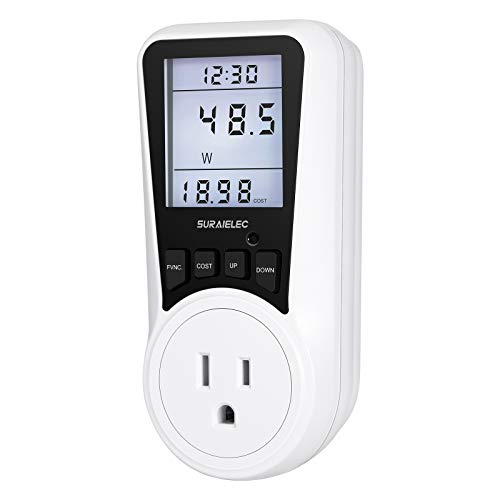
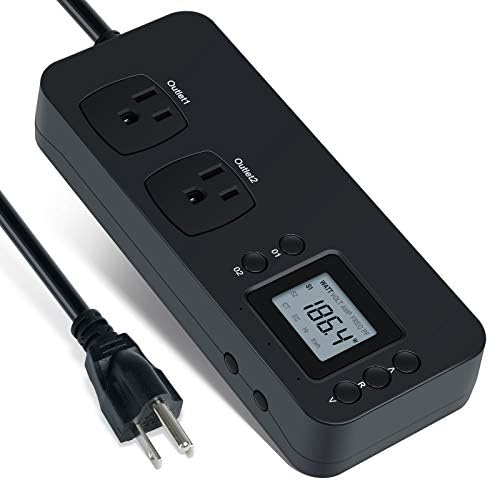
A plug-in watt meter, covered in our guide to plug-in watt meters, shows how much power the entire computer pulls from the wall during a test. It does not isolate the CPU, but a sudden drop in wall power during a heavy test, alongside a falling clock, supports the idea that something is limiting performance. Software monitors report temperature and clock speed per core, and are more precise for the processor itself.
Honest Limits of CPU Speed Tests
No single number captures a processor. Benchmarks measure specific workloads, so a chip that wins in one can lose in another. Scores vary from run to run by a few percent, and operating system updates, drivers and firmware can shift them. Synthetic tests may also favor designs that suit the test, not your applications.
Software monitors read sensors that report values with some delay, and a utility may show clock speed averaged over a second or more. Use them to see patterns, not to prove a fraction of a gigahertz.
When to Call a Professional
If a computer is slow, noisy or crashing under load, a technician can check cooling, firmware and hardware faults in minutes. Business and server buyers should rely on standardized vendor results or an IT consultant. Overclocking can void warranties and damage hardware, so follow the manufacturer’s guidance and use proper cooling.
Tools That Help When Testing a PC
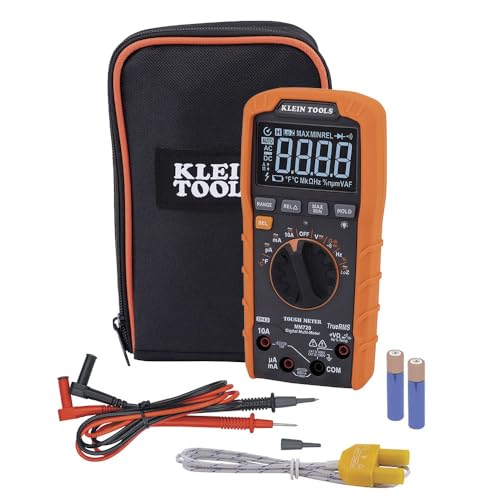
Software does the measuring, but a few physical tools make tests more honest. None of these read the processor directly. A plug-in watt meter (see our watt meter picks) shows the power the whole computer draws from the wall while a test runs, a multimeter helps with basic electrical checks, and a stopwatch times real tasks (more in our stopwatch guide). Descriptions are based on manufacturer specs and buyer reports, and there is no catalog of CPU-specific hardware here, so these are general measuring tools.
As an Amazon Associate, Measuring Expert earns from qualifying purchases.
FAQ: Measuring CPU Speed
What is the best way to measure CPU speed?
Use two methods together: watch live clock speed in Task Manager or lscpu, and run a repeatable benchmark such as Cinebench or Geekbench. Time your own task as a reality check.
How do I check my CPU speed on Windows?
Press Ctrl + Shift + Esc, open the Performance tab and click CPU. The panel shows the model, base speed and current speed while you work.
Is a higher GHz always faster?
No. GHz is only cycles per second. A newer design at a lower clock can do more work per cycle, and core count matters for multi-threaded tasks.
What is the difference between base and boost clock?
The base clock is the guaranteed frequency under sustained load. The boost clock is a higher, short-term frequency the chip uses when power and temperature allow.
Why does my CPU speed keep changing?
Processors adjust speed to match demand, saving power at idle and boosting during bursts. Heat and power limits can also pull it down.
What is CPU throttling?
Throttling is when a processor lowers its clock to avoid overheating or exceeding a power limit. It shows up as lower scores on a repeated test.
Which CPU benchmark should I use?
Pick one that resembles your work: Cinebench for rendering, Geekbench for quick mixed tests, PassMark for broad comparisons. Always compare like with like.
How do I measure CPU speed on a Mac?
Check About This Mac for the chip, then use a benchmark or Activity Monitor. Apple silicon does not list a simple GHz number on the About screen, so scores are the practical comparison.
Can a watt meter measure CPU speed?
No. It measures the power the whole computer draws, which can support a test but cannot show clock speed or performance.
How often should I test my processor?
Test when you buy, after major changes such as cooler or driver updates, and when the computer feels slow. Keep the results so you can compare.
The Short Version
The short version: read clock speed in Task Manager or lscpu while the machine is busy, compare performance with a benchmark you can repeat, and time your own task to see what you will feel. Each answers a different question, so use more than one.
Keep the setup identical between tests, watch temperature, and distrust a single run. A processor measured carefully tells you more than any number printed on the box.
Prime for Young Adults: a longer free trial and a lower price after it